All things MyBB

We’ve been reasonably quiet between the release of MyBB 1.4.4 and 1.4.5, but that doesn’t mean that nothing has been going on behind the scenes. This blog post aims to outline some of what has been going on at MyBB during the last couple of months.

Over the past few weeks you may have noticed a few changes with our current staff, whether it was removal of staff or a change of position. Some changes may not even be noticeable by you but I’ll outline them all anyway.

  • Chris Boulton
    Due to time restraints placed on Chris by work, Chris was finding it difficult to find a balance between work and play whilst including MyBB and therefore has shifted some of the lower priority, day-to-date responsibilities of product management to Dennis Tsang. To be clear, Chris will still be involved in the MyBB project and will be overseeing the project from an executive aspect.
  • Dennis Tsang
    Dennis will be taking on more of the the day-to-day operations and administrative tasks that Chris Boulton used to do.
  • destroyer (Kevin Camps)
    Kevin will take on some content management duties, this includes the MyBB website, MyBB Wiki, etc. Kevin will also be partly responsible for approving themes, plugins and resources to the Mods section of the MyBB site and help out coordinating the translations with Tochjo.
  • Ryan Loos
    Ryan has made the move from a Support Team member to a Public Relations Liaison. With this new title, Ryan will be responsible for resolving community issues, updating the blog, making Twitter updates from the MyBB Twitter account, seeking new talent to take up positions on the team, in future betas and in the Mentor group and educating other communities on MyBB if their views are a little off.
  • Justin S.
    Justin is now in the developers’ group although he will still maintain the Wiki and continue his design work. He was always a design developer on the team, so the title change just reflects his correct role, although he will be performing all of the same duties as he did before.
  • Tomm M
    Tom’s moved into a developer’s position from his old role as a Support Team member. He’s shown a good understanding of how MyBB’s insides work during his time on the team and has already taken on a good portion of development for MyBB 1.6.
  • Max Marze
    Max too has become a developer and will be working towards getting the new version of the MyBB Merge System out. Specifically, he will help by writing unit testing scripts to ensure that the Merge System, when released in the future, will not have as many problems as in previous releases.
  • MattRogowski
    Matt, though still a part of the Support Team, will also be partly responsible for approving themes, plugins and resources to the Mods section of the MyBB site.
  • sayakb
    Sayak has offered to come on board as an SQA Team member. He’s shown a strong knowledge of MyBB by developing plugins, which can be found at the KDE forums, and testing new MyBB releases for compatibility with the KDE forums.
  • LegosJedi
    We’re saying goodbye to LegosJedi who has left us due to time constraints. We wish LegosJedi best of luck on his future endeavors.
  • Tom Loveric
    Tom has also decided to head his own direction with a custom CMS he is building. We wish him the best of luck in his future and with his CMS.

Recruiting New Support Staff

We’re always looking out for new potential. If you want to be on the MyBB Team, you just have to show:

  • You are dedicated and active to the project
  • You speak English very well and have good communication skills
  • You have good knowledge of how MyBB works and in the position you want to take up

If you don’t feel like we’re noticing you it’s probably just because we’re too busy making the next version of MyBB! So just send us an email via our contact form with “Available Team Member Position” as the subject. Include your forum username. Remember though, your chances are considerably increased if you stand out with the three suggestions listed above.

SQA Team Updates

You might have also noticed the creation of the SQA Team (Software Quality Assurance) right after the release of 1.4.4 due to the amount of problems that were reported after its release. SQA has been able to confirm 95% of fixes are working and don’t cause any regressions that are written by our developers and put into our code base. Among those that they confirmed, SQA was able to find and report dozens of regressions over the course of the entire MyBB 1.4.5 development in over 100 bugs, optimizations, and tweaks. As such, SQA has been a huge success for the MyBB Group and in turn creates much more stable releases for you. We are continuing to perfect the new SQA Team and implement processes that will eliminate preventable issues from the get-go.

Team Interviews

If you’ve ever wanted to know more about the MyBB Group or a particular staff member, now is the chance!  We’ve started a thread where you can post questions for staff members to answer at a later date in a blog post. If you have any questions for specific staff members or groups of staff then head over to the thread and post your questions!

EOL announcement concerning MyBB 1.2

Discontinuation of support for 1.2 series

MyBB 1.4 has been out for over 8 months. During this time we have had a security audit done and we believe that the 1.4 series is the safest yet. So upgrading should not worry you one bit.
When we first released 1.4 we only planned to continue support for 6 months but continued support due to the sizeable amount of people that still used the 1.2 series.

Support for the 1.2 series will end on June 1st, 2009 – making it 9 months of support after the release of the 1.4 series.
For those of you who are still operating boards with 1.2 we urge you to upgrade to the latest 1.4 release and seek help if needed before June 1st.

Some links that may be of use to you:
http://www.mybboard.net/downloads – To obtain the latest MyBB release
[Wiki: Database_Backup] – Always important if something goes wrong. Also be sure to backup all your files.
[Wiki: Upgrading] – Standard upgrading procedure details.

After June 1st, 2009, the 1.2 support forums will be moved to the read-only archive.

It is important to note that we will still provide vulnerability patches for the 1.2 series until December 31st, 2009.

Use Twitter? Follow @MyBB for MyBB Updates & News

TwitterFor those who use Twitter, the “social networking site without a business model”, you can follow @mybbgroup @MyBB for quick access to all of the latest on MyBB.

Edit: The Twitter handle is now @MyBB.

For those who don’t use Twitter, the concept is you have 140 characters to post status updates/messages. You can follow other users for easy access to their updates, and have people follow you.

We’ll be using Twitter to:

  • Post updates to MyBB and what we’re working on
  • Notify you of updates to the MyBB Blog and new threads posted in the MyBB Announcements forum
  • Point out interesting plugins, themes, tips and tricks that help you benefit more from MyBB
  • Exclusively grab feedback on new things, especially regarding the development of MyBB 2.0
  • Reach out to potential users who have questions regarding MyBB, and help out those who are having diffuclties

If you don’t already have a Twitter account, why not sign up for one today? It takes less than 5 minutes and is a fabulous social networking tool.

(Shameless plug – you can also find me on Twitter: @surfichris)

Update on MyBB Development

Greetings to all,

As we continue to try and reach out to the community with more information on our progress, development, et cetera, this blog post is here to inform you on our current plans for MyBB 1.4, MyBB 1.6, and MyBB 2.0. We are not going to be giving in-depth information away on MyBB 1.6 or 2.0 until they near completion but I would like to draw a general outline and sum up some information that has been spread across the internet.

MyBB 1.4.5

Work is currently going to completing MyBB 1.4.5. It will contain over 100 various fixes, and include performance and stability improvements among other things. We want to put MyBB 1.4.5 through a 2-week beta testing phase before we release it to the general public. This is done in order to ensure we minimize any regressions from changes that have been made to the code since MyBB 1.4.4 and so you can have a smooth transition upgrading from MyBB 1.4.4 to MyBB 1.4.5.

MyBB 1.6

We are steadily and diligently working on development for MyBB 1.6. There have been 17 features/improvements officially “completed” and are in the process of Quality Analysis. We have several more near completion. You won’t be seeing any huge changes in MyBB 1.6 and we have taken steps to ensure that when MyBB 1.6 is officially released it will be a stable release. This is done so we can keep the impact on theme creators and plugin and mod authors down to a minimal level. This will lead to a smooth transition between MyBB 1.4 and MyBB 1.6 and I’m looking towards at least 60% of all plugins should still work with MyBB 1.6 with minimal changes (essentially just the “compatibility” indicator updated for most).

MyBB 2.0

We have been brainstorming, sharing ideas, sharing mockups, etc for the past few months. We will probably be brainstorming and trying new ideas for MyBB 2.0 for the most part all the way up to the general testing of MyBB 1.6 and then we will shift gears to MyBB 2.0.

We hope everyone enjoys this small update on our development and future plans. We will continue to space out these updates during our normal development cycles to keep you informed on the going-ons of MyBB.

Update on the MyBB Merge System

Hi,

My name is Ryan Gordon and I am the lead developer of MyBB and the MyBB Merge System. This blog post is here to inform the community members on some of the caveats and successes of the MyBB Merge System.

Let me first introduce a bit of history on the MyBB Merge System. It has been in development for quite a while – before MyBB 1.2’s release – and it hasn’t officially reached a “stable” tag in its development. The MyBB Merge System is quite a revolutionary product in terms of the abilities it provides to those who use it. Many people don’t realize the full potential or mistakenly think that the MyBB Merge System is used to virtually “link” two forums together, when in fact the Merge System actually takes data from any supported forum software and combines it with your current forum. This is where things start to get interesting.

So let’s get straight to the point- Because of the unique nature of the Merge System, design and development is a grueling process. We have been able to work through most of the problems but several issues have plagued us over the course of its development:

  • Testing – It is a long enduring process to replicate a bug report, that may not have been caused by the Merge System in the first place. This is compounded by the fact we are also testing with different forum systems with which we are not familiar.
  • Complexity – The actual process of converting data from one forum to another is very easy, which is why most forum software choose to go down that path. However, the process of being able to merge two existing forums into one is a much more complex process. In terms of manpower, this has greatly impacted our development abilities for the Merge System.
  • Mainstream Availability – Many people shy away from testing the Merge System because of the “RC” or “Beta” tags attached to it. Unfortunately, we haven’t gotten many people to come forth and test it for that reason and in turn it just creates a catch-22. If we can’t get people to test it, then it is difficult for us to move forward. On the flip side, people don’t want to test it unless we’ve completed development to a “stable” point.

Testing has been a problem since the beginning and the Merge System has gone through 3-4 rewrites because of it. The process of testing and reproducing in its current state is cruel to us developers for a few reasons:

  • Information – We need very specific information to reproduce problems, which can be sometimes hard to procure from users. And when we get that information we have to determine whether it was caused by the Merge System, the other forum system, or by a modification or plugin that may have skewed with the database data.
  • Time – The MyBB Merge System is a staircase in a high rise. You have to work your way up from Level A all the way through Level Z to complete the merge. At any point in time, a problem could have happened. If we are able to reproduce the problem, then we have to look at the code to see if there is a way to fix it. If the developers were able to come up with a fix, then we have to test the Merge System again. If the fix didn’t work then we’re back to square 2 and we have to repeat the process. This means that we are at minimum required to run the Merge System twice on our test data, and usually it’s more than that.
  • Reproduction – In the case that we weren’t able to reproduce the problem then we have to go back to square 1 and figure out what more information we need or in some cases, direct access to the test data in the live environment where the problem originally happened. This leads us to our last reason.
  • Communication – Some of the time users report their problems and never come back because the merge is already completed into their forum and most problems are usually already fixable with a bit of manual work. This makes it really frustrating when we’re trying to reproduce and diagnose problems reported by users.

Complexity has also been a large problem for our developers and one of the reasons progress has been so slow. Not only do we have to perform balancing acts between MyBB and the Merge System, we also have to deal with the complexity of the Merge System when testing and reproducing issues and general updates overall.

Lastly, mainstream availability has been a big issue with the Merge System. The market for a Merge System is a lot smaller then the market of MyBB and it’s a one-time-use program, so people tend to use it, report their problems, and never need to come back to it. 

For the reasons above, we have started looking into automated methods of testing code.  One solution we are currently trying is Unit Testing, a type of testing used in SQA departments.  In fact, I am current about half way through reworking the Merge System to support Unit Testing. 

Unit testing is a form of quality assurance where small blocks of a software module such as a single function are tested to ensure that by themselves their outputs correspond correctly to given test inputs. At a click of a button, a developer or tester can run a set of tests and see the results quite simply as a “pass” or “fail” for each of the test cases. This will help us quickly identify any “broken” components which may have been caused by the latest changes, and from which component the problem is in.

Once we have unit testing in place, a large majority of problems we would be able to identify and resolve before it is ever released to the public and in turn we won’t need to rely as much on the public to test the Merge System.

Thanks for reading and I hope you enjoyed this article.

Road to 1.4

Well… it’s been a long journey folks; With MyBB 1.4 released, we thought it might be a good idea to tell you how 1.4 got to where it is today. So without further ado, we present to you the Road to MyBB 1.4.

April 2006:

The first pre-alpha mockups of the ACP are shown internally to the staff. Ideas are collected for 1.4 and discussed and our general feature list is planned.

September 2006:

MyBB 1.4’s development pace starts picking up once MyBB 1.2 Final is released.

October 2006:

MyBB 1.4’s new ACP is being planned and drafted.

February 2nd, 2007:

After 8 rewrites, MyBB 1.4’s ACP’s core is finally written. The first page, the settings page, is started.

March 2007:

MyBB 1.4’s new ACP base/core continues to be improved. Some beginning pages (Dashboard/Credits) are done and others are in progress. A chunk of front-end features are in the works or completed.

October 21st, 2007:

A good portion of the MyBB 1.4 ACP is done. 99% of MyBB’s front-end features are done. This day MyBB 1.4 is open to a select few for beta testing.

March 19th, 2008:

The first download of MyBB is available to testers. All of the ACP is completed except the Themes page. 100+ bugs were reported and fixed within this timeframe. More testers are invited.

May 2nd, 2008:

The second refresh of MyBB is available to testers. All of the ACP is completed. 100+ bugs were reported and fixed in this timeframe. All of the translators, and many mod creators and theme creators were invited at this time.

June 23rd, 2008:

The sixth refresh of MyBB is available to testers. Bug reports have slowed. Since refresh two over 300+ bugs were fixed.

June 26th, 2008:

A publicly joinable private beta of MyBB is open to users.

July 6th, 2008:

The second beta of MyBB 1.4 is posted, including 40+ bug fixes from Beta 1.

August 3rd, 2008:

MyBB 1.4 is released.

All in all, in the development timeframe of 1.4 over a quarter of a million lines of code have changes in over 1,700 commits, over 500 bugs were fixed and many additional suggestions were implemented during our 6+ month beta process.

Also, throughout this process the MyBB Merge System was being worked on and the MyBB 1.2 series was being maintained.

We hope everyone enjoys the new functionality and changes we’ve provided in MyBB 1.4 🙂

Preparing your Plugins for 1.4

Hello,

With the MyBB 1.4 release pending ever closer, we are stepping up to get your plugins ready for 1.4. There are two main things you should do:

  • Update your plugins to work with MyBB 1.4 ahead of time.
    MyBB 1.4 Beta has been available to download to those who request it. Requesting it is easy. Just click here, find “MyBB 1.4 Beta Testers” and click “Join Group”. For the reason, we suggest you put “Upgrade Plugins to 1.4”, which will let us know you want to upgrade your plugins to 1.4. Theme authors may also do the same thing. It’s very important to us to make sure we give the time and resources necessary, in order to make your transition to 1.4 as smooth as possible.
  • Can’t upgrade your plugins in time for 1.4’s release? Here’s what we recommend:
    GUID’s (Globally Unique Identifiers) are used in MyBB 1.4’s plugin system to allow users to check their plugins for updates. If you were to add your plugin’s assigned guid to your plugin, prior to the release of 1.4, the users who update to it and who download it from there on out, will be able to use the version checking functionality. There is no harm in adding a guid to any 1.2 designed plugin. Versions below MyBB 1.4 will just ignore it. We also recommend adding ‘compatibility clauses’. More information on adding GUID’s and compatibility clauses to your plugin can be found below.

What is a GUID?
Your GUID is a unique identifier that has been generated for your plugin. By including this GUID in your plugin file (see below), users of MyBB 1.4 will be able to check for new versions of your plugin on the MyBB Mods server, with a click from their Admin CP. To allow users to take full advantage of this functionality, please follow the instructions below to add your GUID to your plugin file.

What is a ‘compatibility clause’?
Your ‘compatibility’ clause is a way to tell MyBB which versions of MyBB your plugin will work on. This adds the ability to stop users from installing or running plugins that won’t work with their version of MyBB. To allow users to take full advantage of this functionality, please follow the instructions below to add your ‘compatibility clause’ to your plugin file.

Implementing your GUID & Compatibility Clause
To implement your GUID & ‘compatibility clause’ into your plugin, you need simply add it to the info function of your plugin before uploading it below.

PHP Code:

 'test',
        'description' => 'test',
        'website'     => 'http://mods.mybboard.net/',
        'version'     => '1234',
        'author'      => '',
        'authorsite'  => 'http://your-site.com/',
        'guid'        => '1234567890abcdefghijklmopqrstuvwxyz',
        'compatibility' => '14*',
    );
}
?>

More information on changes in 1.4 that will require changes in your plugins can be found here: http://blog.mybboard.net/2008/07/11/plugin-upgrade-guide-for-plugin-authors/

Plugin Upgrade Guide (for Plugin Authors)

As we approach the release of MyBB 1.4 and the code is finalized I thought it would be a good idea to take some time and write an in-depth guide on how to upgrade your plugins for MyBB 1.4.

First are the required code changes in MyBB 1.4:

  • TABLE_PREFIX is not used anymore except in $db->query().
    • In MyBB 1.2 it would look like this: $db->simple_select(TABLE_PRFEFIX.”users”, “*”, “uid=’1′”);
    • In MyBB 1.4 it now looks like this: $db->simple_select(“users”, “*”, “uid=’1′”);
  • All “yes”/”no” columns have been converted to 1/0 for speed improvements. All plugins will need to change this.
  • The function is_moderator() now returns true/false in MyBB 1.4 versus the old “yes”/”no” in MyBB 1.2.
  • sprintf() is no longer used in MyBB. If you use sprintf() now use $lang->sprintf() instead.
  • Links to forums/threads/posts now use functions to generate them because of the SEO in MyBB 1.4:
    • get_thread_link(arg1 thread id, [arg2 page,] [arg3 action])
    • get_forum_link(arg1 forum id, [arg2 page])
    • get_post_link(arg1 post id, [arg2 thread id])
    • get_profile_link(arg1 user id)
    • get_announcement_link(arg1 announcement id)
    • get_event_link(arg1 event id)
    • get_calendar_link(arg1 calendar id, [arg2 year,] [arg3 month,] [arg4 day])
    • get_calendar_week_link(arg1 calendar id, [arg2 week])
  • All queries in your mods that write data to the database and use $db->query() will now have to use $db->write_query(). You won’t have to worry about queries that use simple_select or update_query as they automatically assign it to the correct function. By doing this, you can make your plugin compatible with forums that run on multiple servers. These forums are usually large, in the scale of millions of posts or more.
  • rebuildsettings() has been renamed to rebuild_settings(). Plugins looking for backward-compatibility should execute a check to function_exists before defining their own rebuild_settings() function in order not to have “function already defined” errors.
  • Plugins using the Moderation class should take note of a few changes to the function parameters
    • tid and fid are no longer passed into Moderation::unapprove_posts and Moderation::approveposts
  • Any plugins written to add / change functionality to the Administration Control Panel (ACP) will have to be completely rewritten. The changes needed to be made are too vast and too complex to be covered in this article. However, take a look at the ‘Akismet’ plugin bundled with MyBB 1.4 for examples of how to use the Admin Control Panel functionality.

Second, the suggested changes in MyBB 1.4:

  • There are two new fields for the information array in your plugin:
    • guid and compatibility.
    • guid’s (Globally Unique Identifiers) are assigned to plugins on the MyBB Mods site and can be put in plugins to allow for “Plugin Updates” via the new ACP page in MyBB 1.4.
    • compatibility can be set to “14*” so MyBB knows in the future which plugins work and don’t work with the next version of MyBB.
  • The ‘website’ field should point towards the URL to your plugin on the MyBB Mods website (or the link to the plugin where it is hosted at.) We’ve noticed that it’s been a common misconception to use that field to point towards your own personal site, while it’s intention was to be used to allow the average admin to go directly to the plugin’s page and check for updates, etc.

There is of course more material not covered that is out of the scope of this article. If you have any questions feel free to ask where appropriate.

MyBB 1.4 Admin CP – The Complete Overview (Part 4)

Welcome back for the final installment in our Complete Admin CP Overview. First and foremost I would like to thank all of you who had submitted their questions for this week’s blog post. Second, today we will be going over the Templates & Themes tab and some of the cool things we did to make your experience easier!

Templates

Template editing hasn’t seen many updates, but there are quite a few tiny changes to generally make template management easier and more user friendly.

Template Sets
Template Groups
Adding a template set
Editing a template set

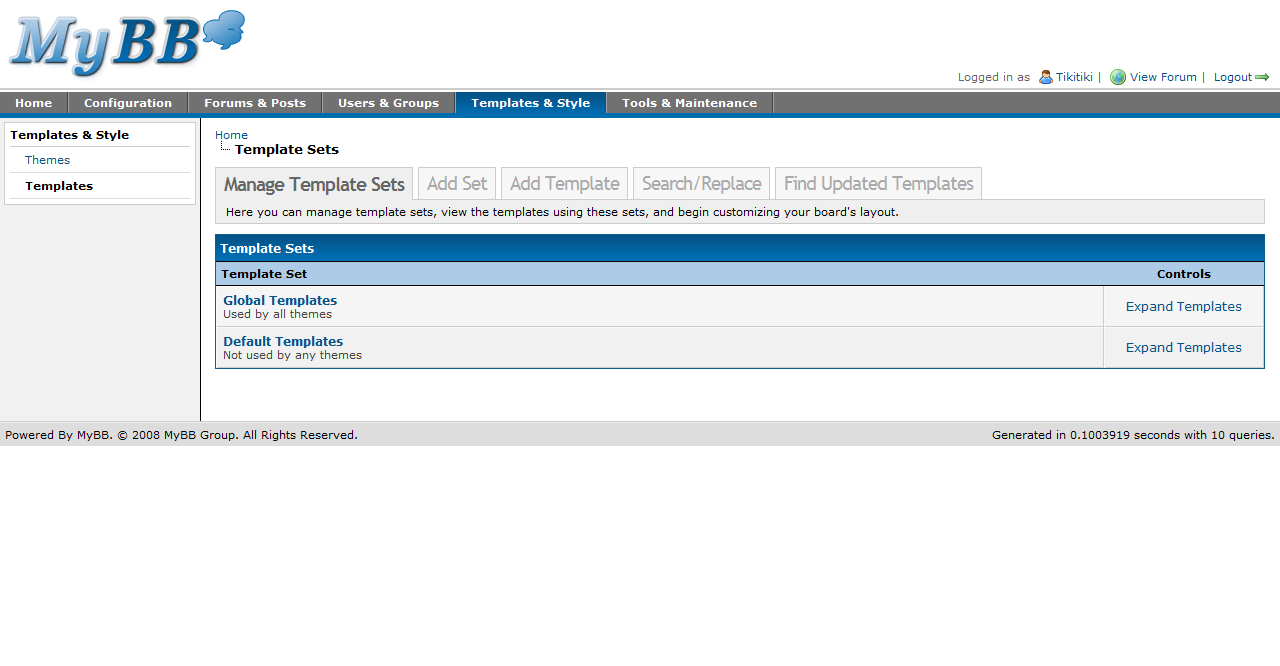
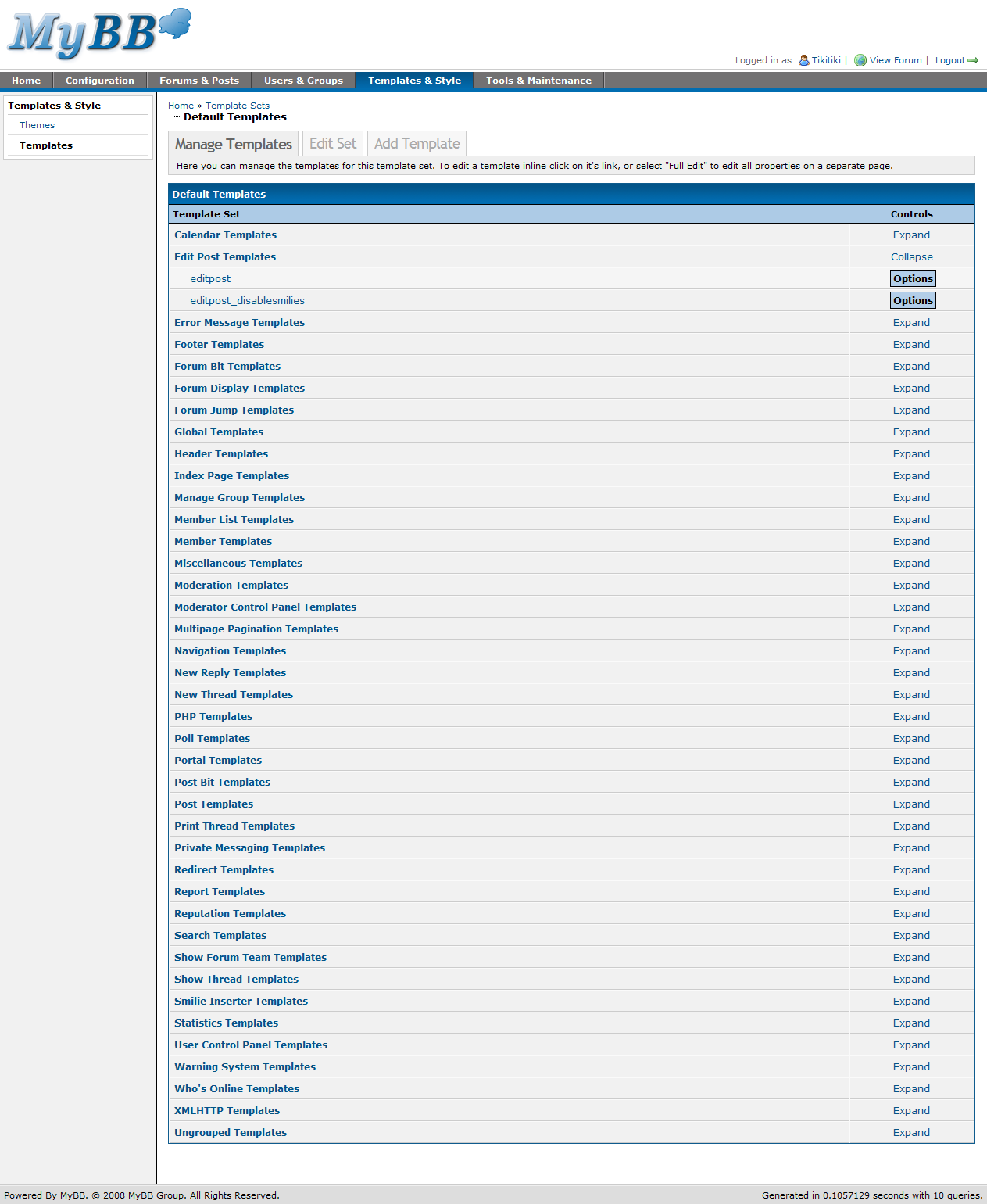
Little has changed with the template sets and template groups listing, just a bit of cleaning for both pages. However, you’ll notice that all templates are now in a group. Any templates that don’t have a group are found under “Ungrouped Templates.” Also, multiple template groups can be open at once, and after leaving the page to edit a template, the template groups you had opened beforehand remain open.

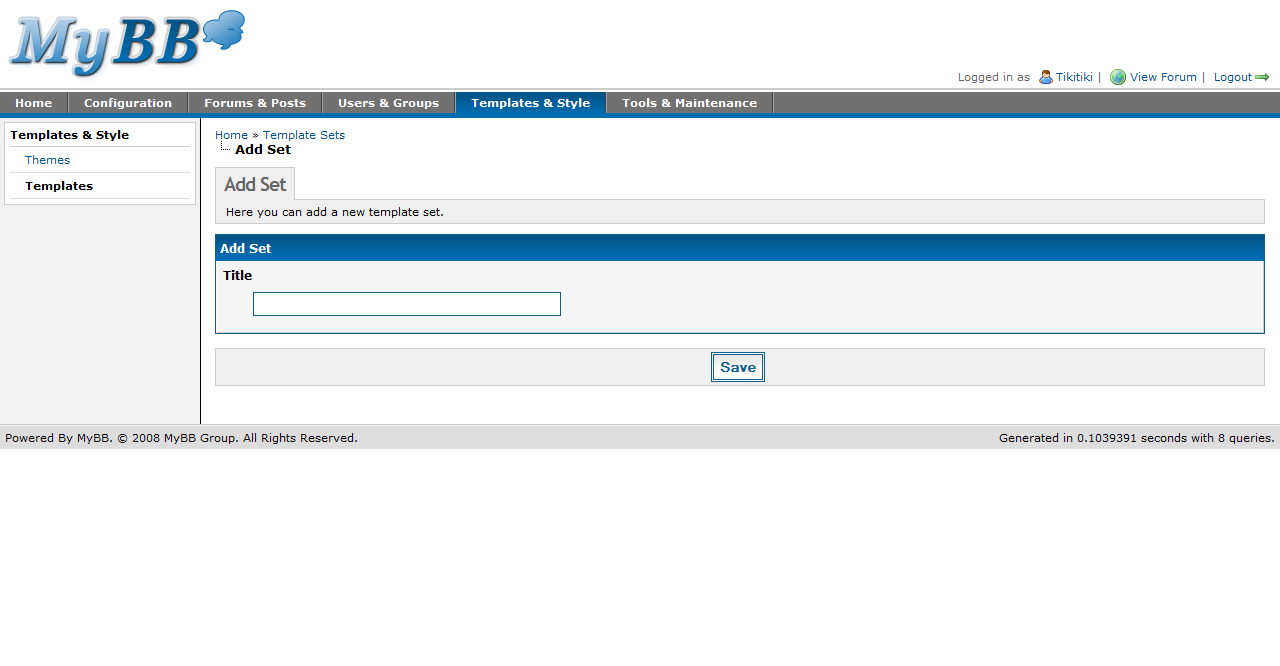
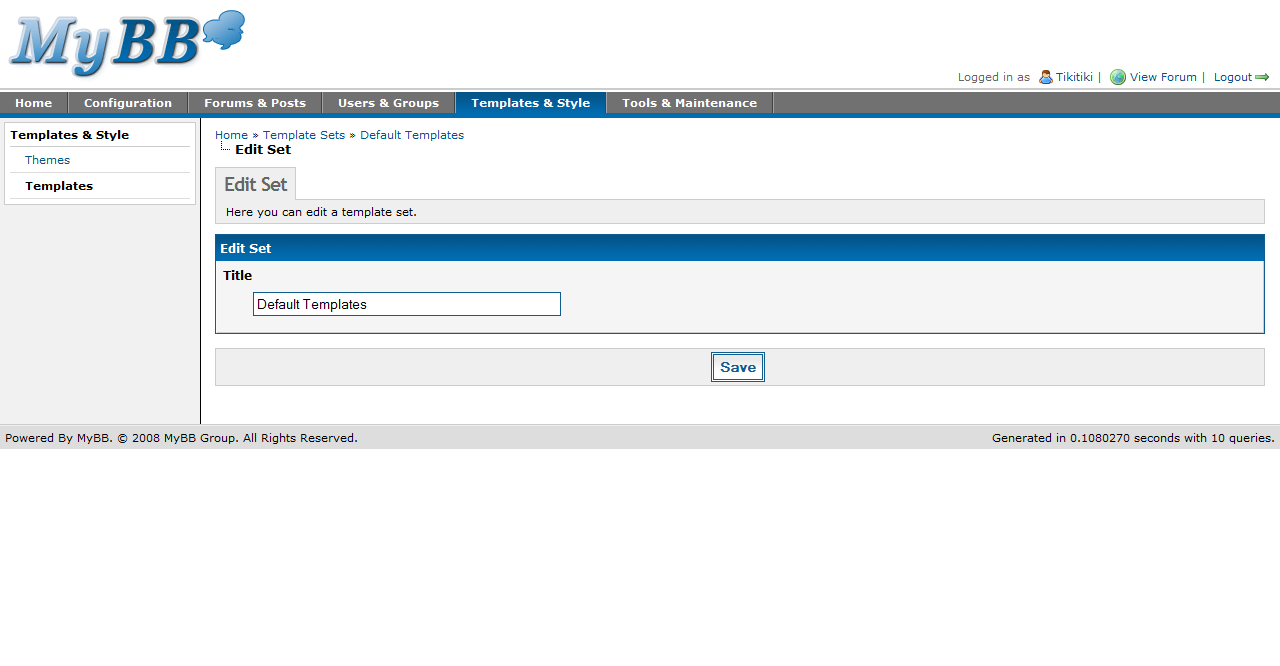
Adding and editing a template set is more or less the same as in 1.2; there is still just one option – the name of the template set.

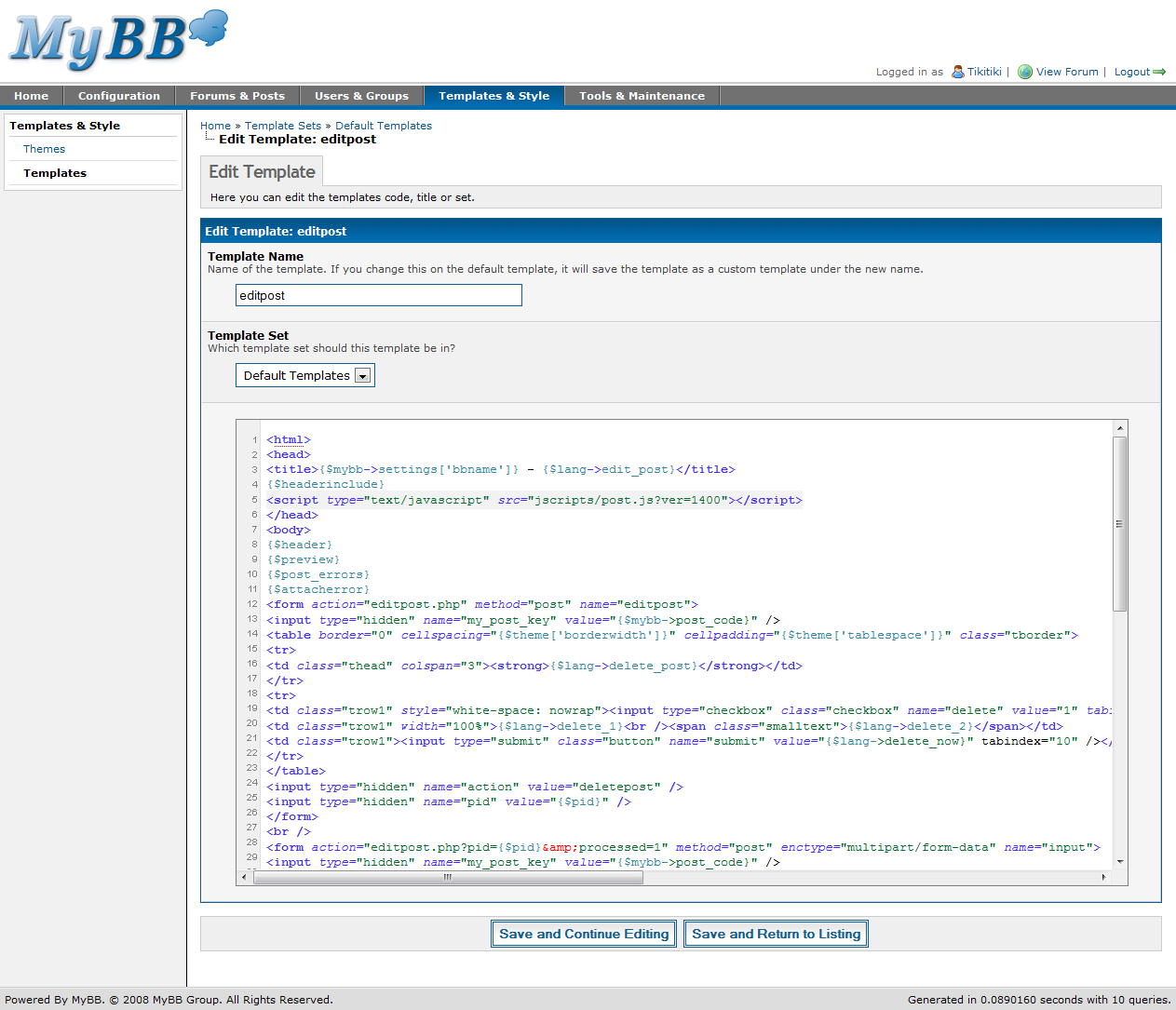
Editing a template
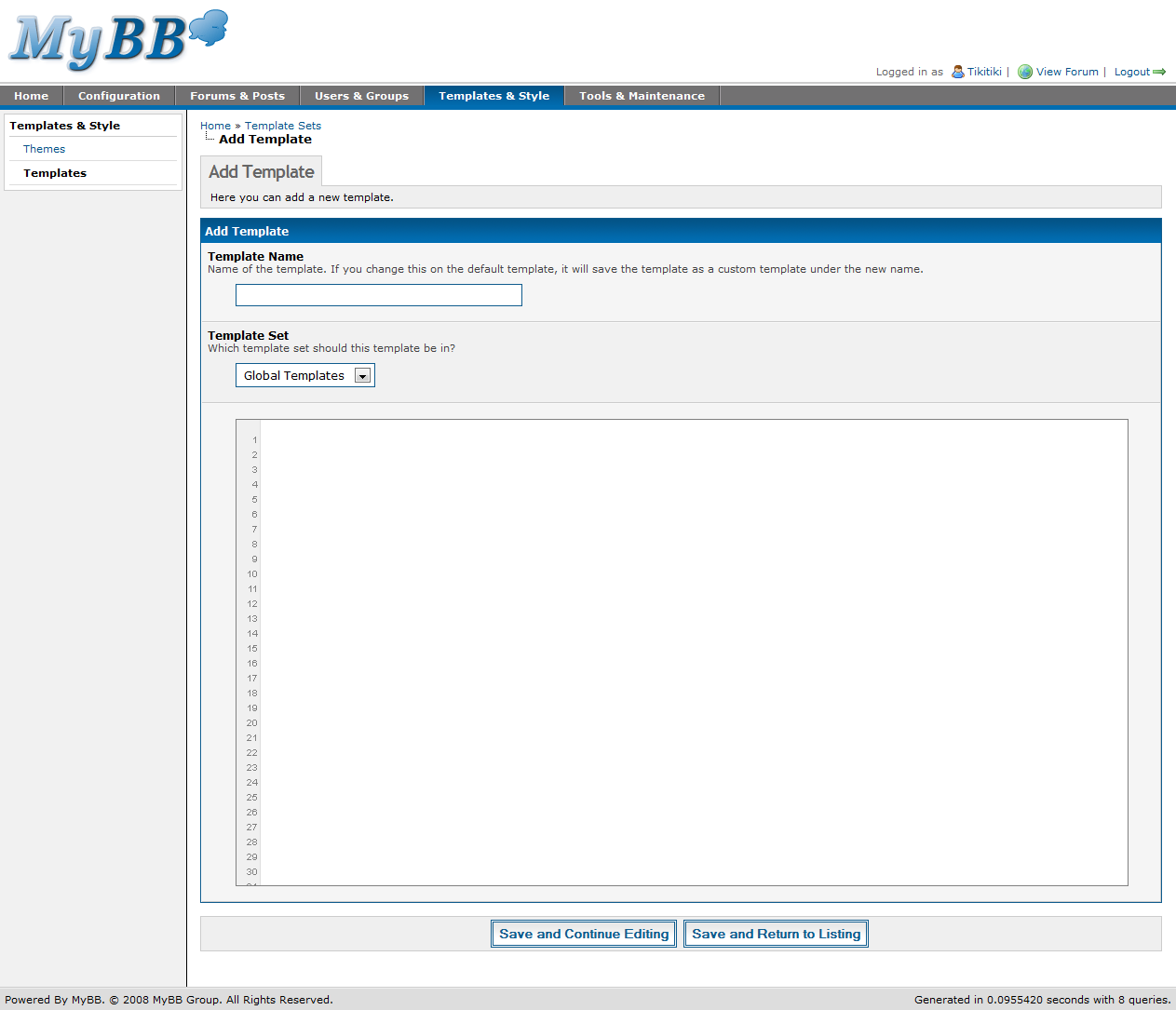
Adding a template

Template editing has seen a huge change – both when adding templates and editing existing ones. Now, MyBB uses Codepress to provide syntax highlighting, line numbering, and a more code-friendly interface for editing overall.

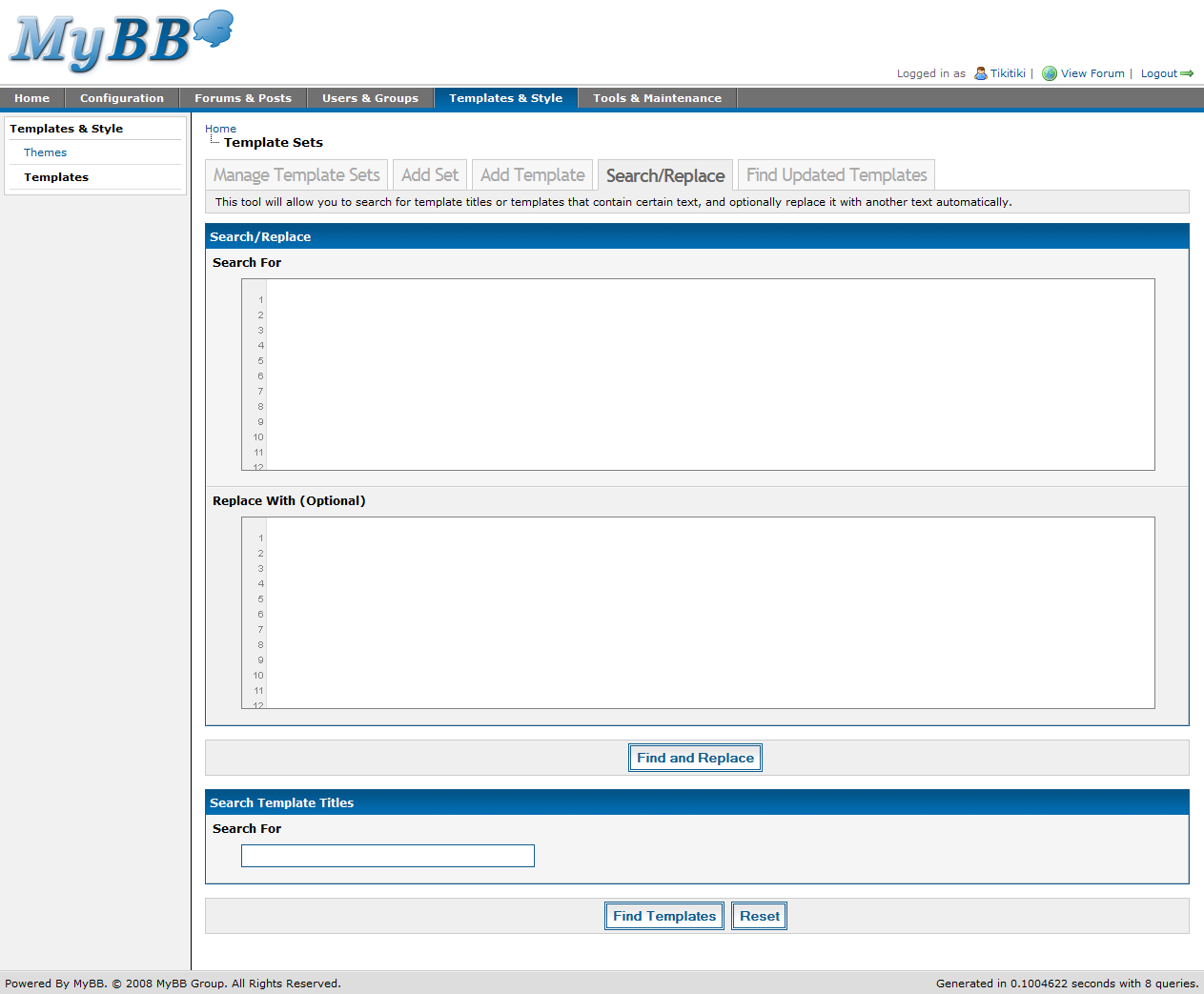
Template search and replace

Template search and replace has also seen the addition of Codepress. Also, you can now search and replace multiple lines of code at once – in 1.2, you could only provide a single line of code to search for and (if requested) replace.

Themes

Theming, on the other hand, has changed significantly since MyBB 1.2. 1.4 introduces a brand new theming system, including multiple stylesheets per theme, a new advanced editor, and an updated simple editor.

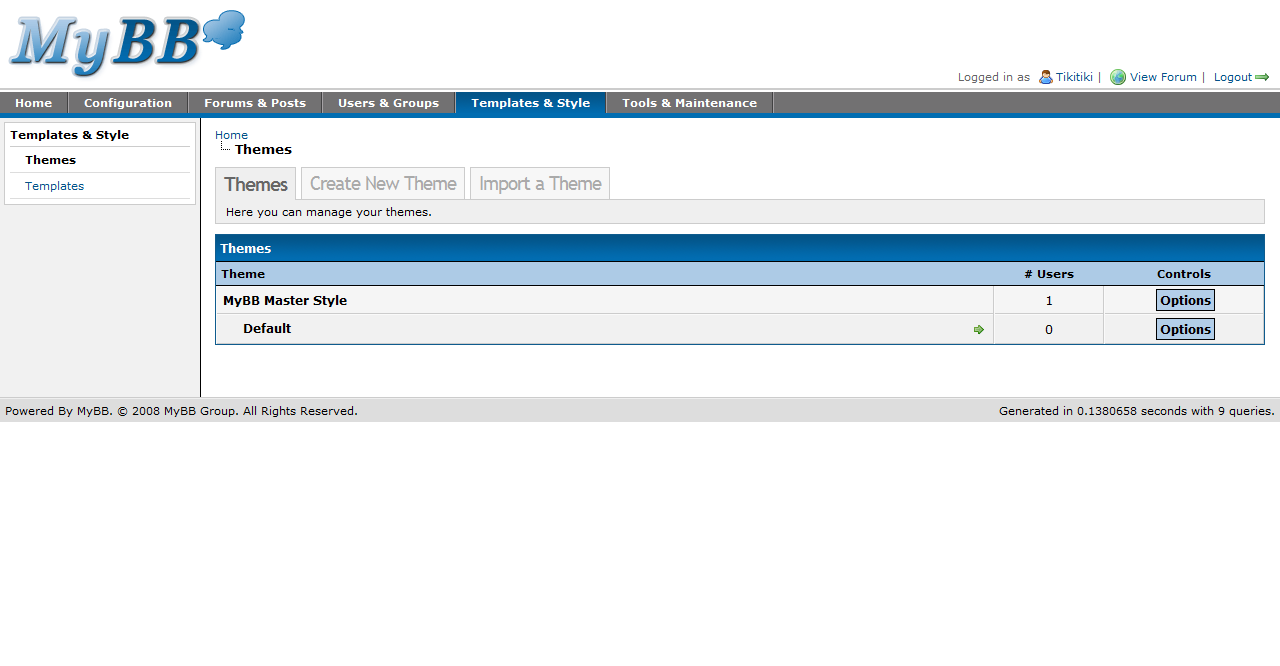
Themes listing
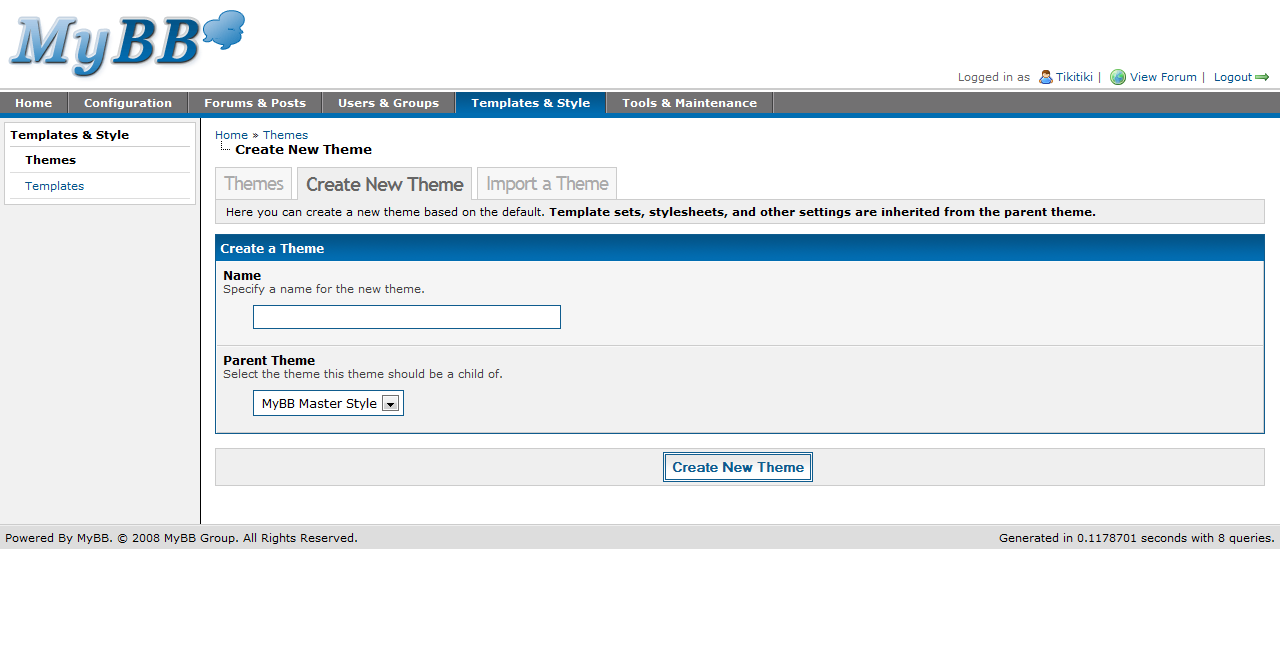
Create a theme

While the themes listing itself has not changed much, some features have. New to 1.4, you can force a theme on all users with the click of a button. Also, creating a theme is as simple as ever.

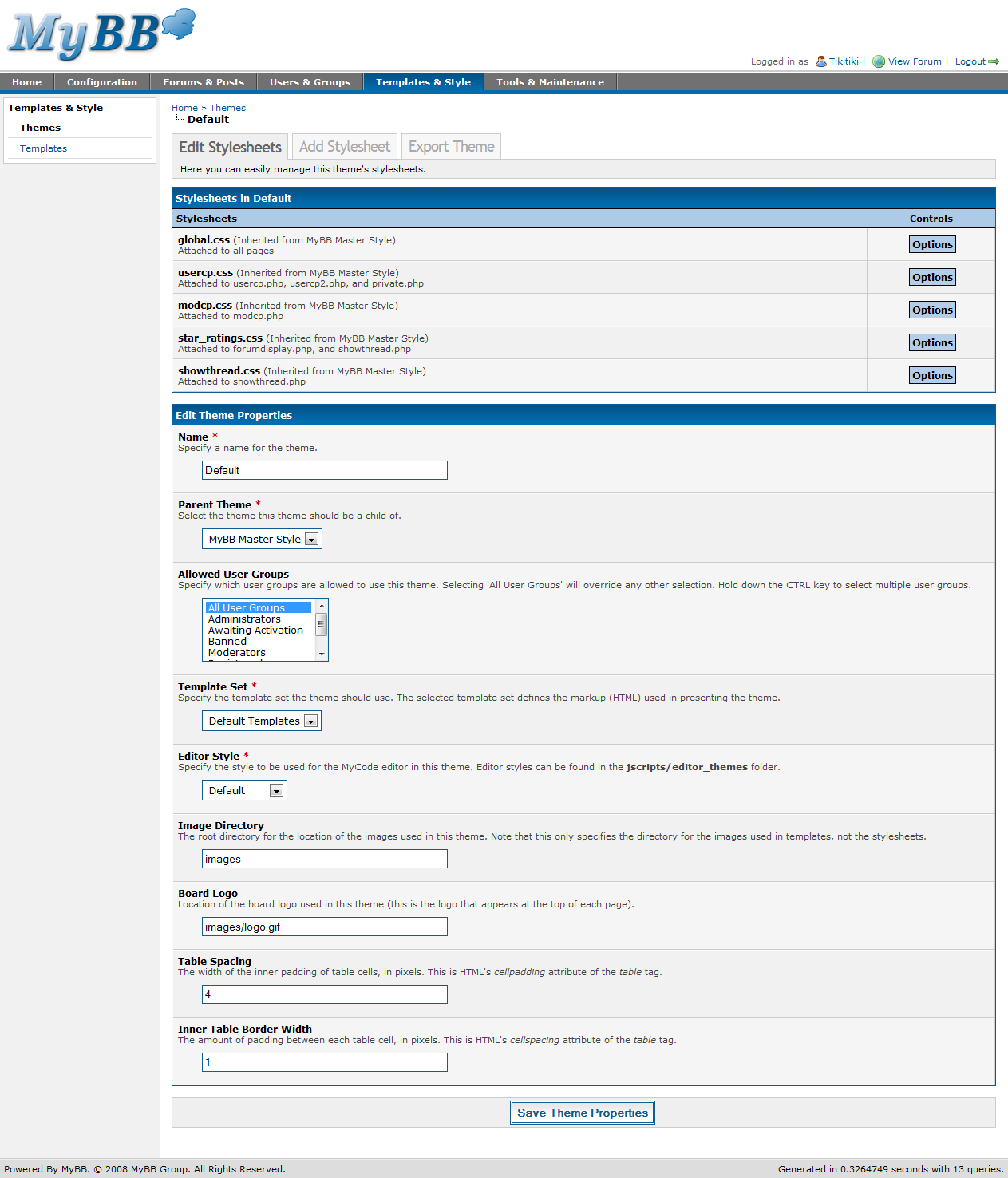
Edit theme

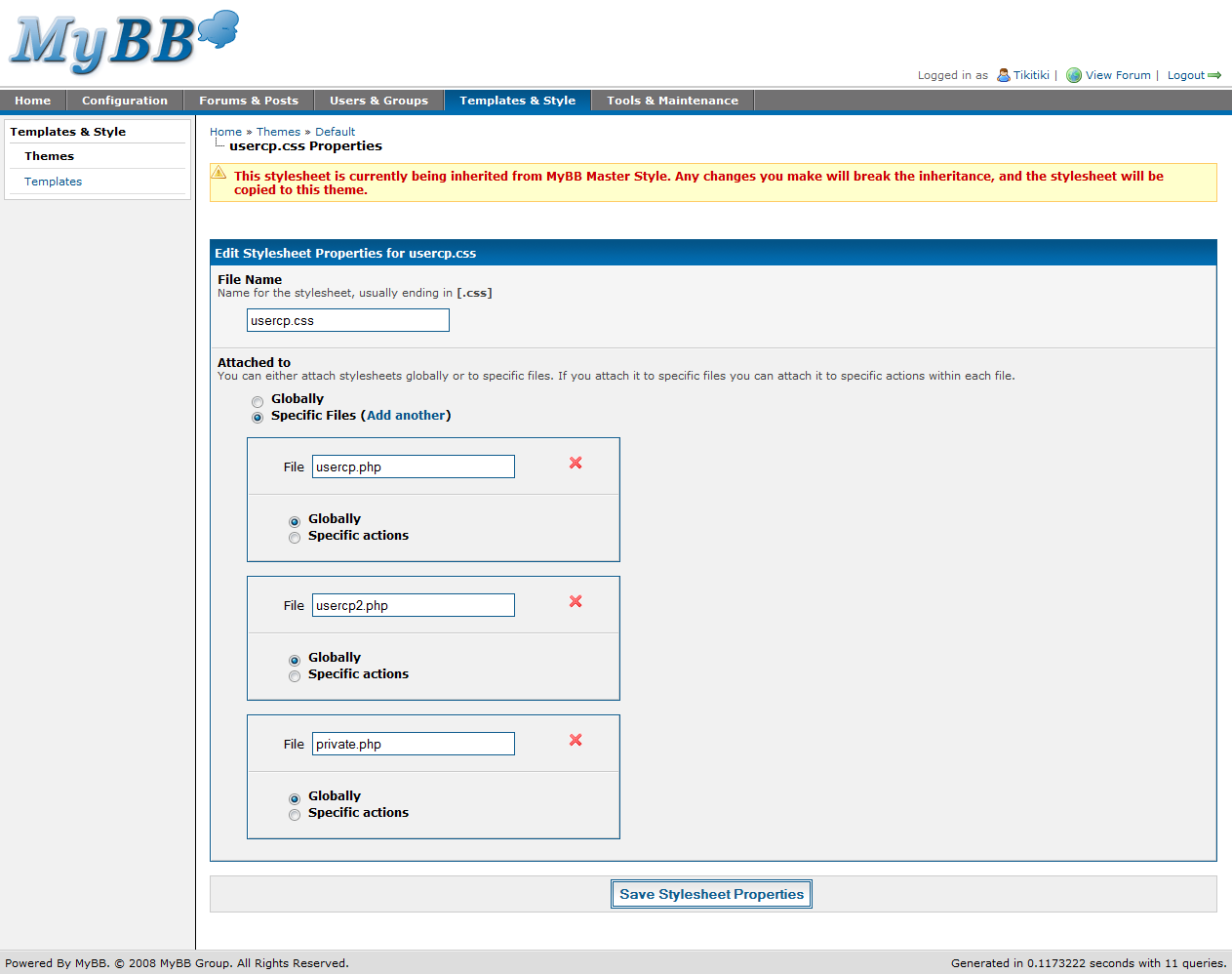
Right away, you’ll see some huge changes to this page. First, there’s a stylesheet listing. In 1.4, you can have multiple stylesheets per theme, with 5 included by default. Stylesheets can either be global (meaning it is used on all pages), or can be restricted to certain pages. If restricted to certain pages, you can also specify certain actions (if you wish) to use the stylesheet on. Stylesheets are inherited from parent themes until you edit them.

The rest of the page – the properties portion – is quite similar to 1.2. However, new to 1.4 is the “Editor Theme.” The MyCode Editor can now have multiple themes, as seen in the MyBB 1.4 Beta Screenshots post, which features both MyBB’s default editor theme and a special Office 2007 theme.

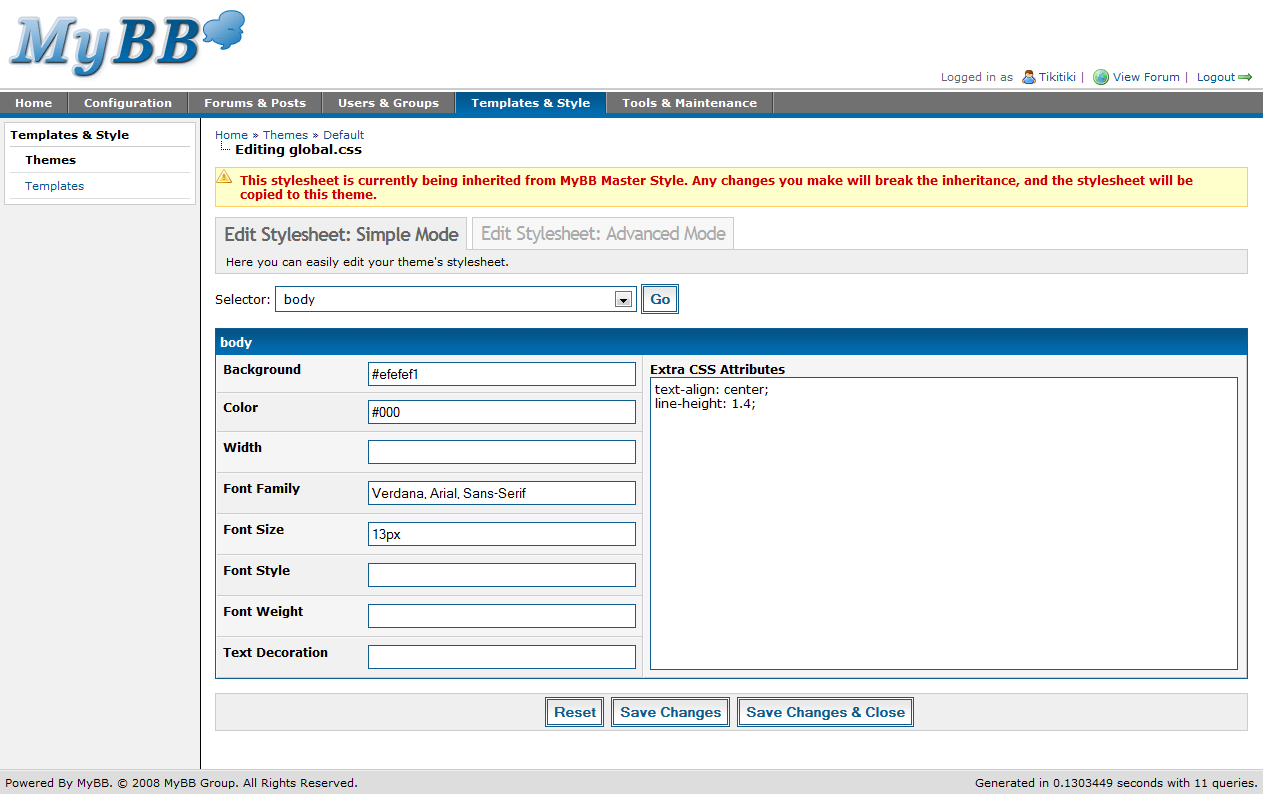
Simple mode
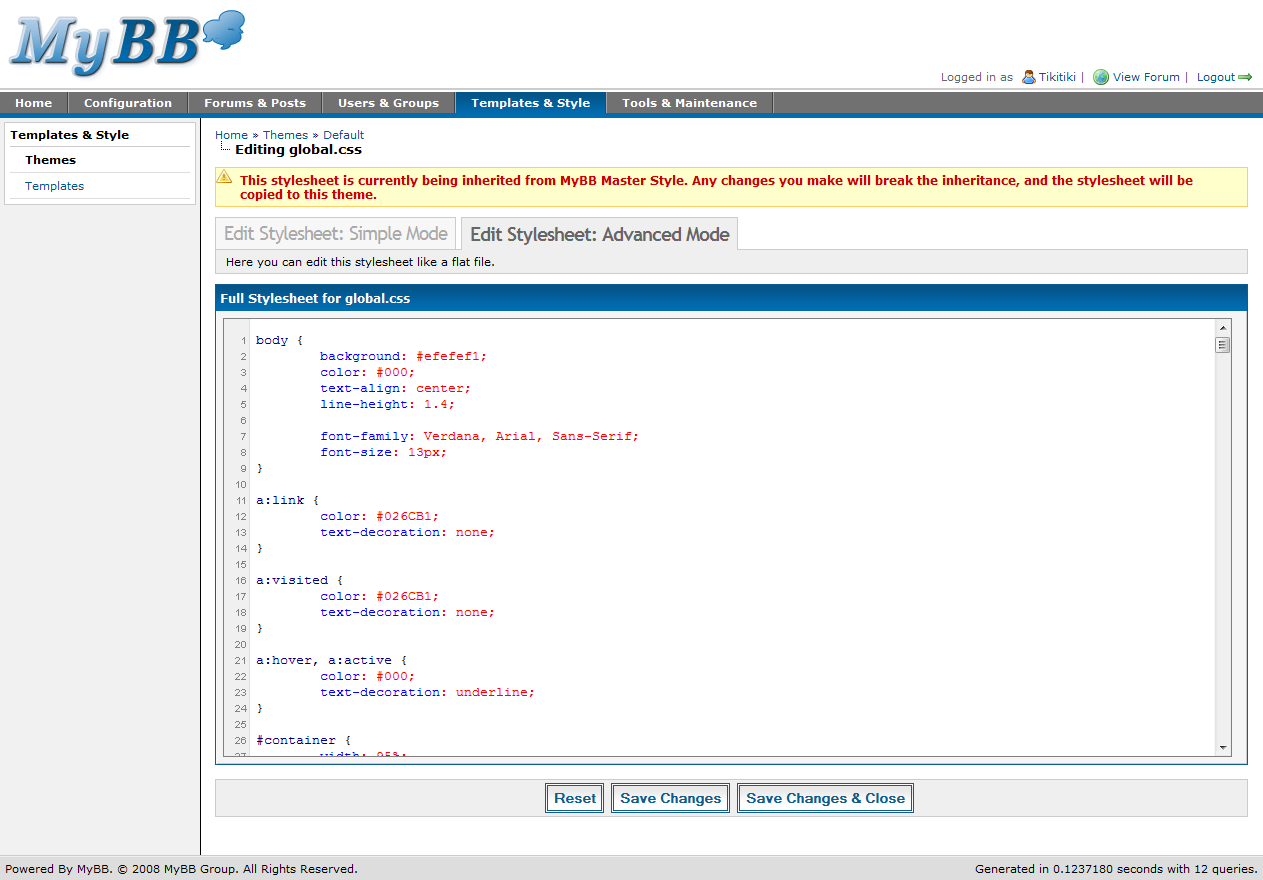
Advanced mode
Stylesheet properties

Stylesheets are the core of your theme, and in 1.4, there are two ways to edit them – simple and advanced modes. Simple mode is very similar to 1.2, in that it provides some of the common elements as separate text boxes, and then has an area to specify any additional CSS for each element. AJAX is used here for quick and simple switching between the various elements, and for saving elements.

Advanced mode is new for MyBB 1.4, and allows advanced users a more familiar environment for CSS editing. Advanced mode shows the raw CSS and allows editing of it directly. Advanced mode must also be used if you wish to add additional elements to your stylesheets to further customize your theme beyond the default elements.

Finally, the stylesheet properties page allows you to edit the pages each stylesheet is loaded on. As you can see in the screenshot, you can specify multiple files that use each stylesheet. You can then select actions within each stylesheet, or have the stylesheet be loaded on all actions in the file. For instance, usercp.css is used on usercp.php, usercp2.php, and private.php, on all actions in each file.

Importing a theme
Exporting a theme

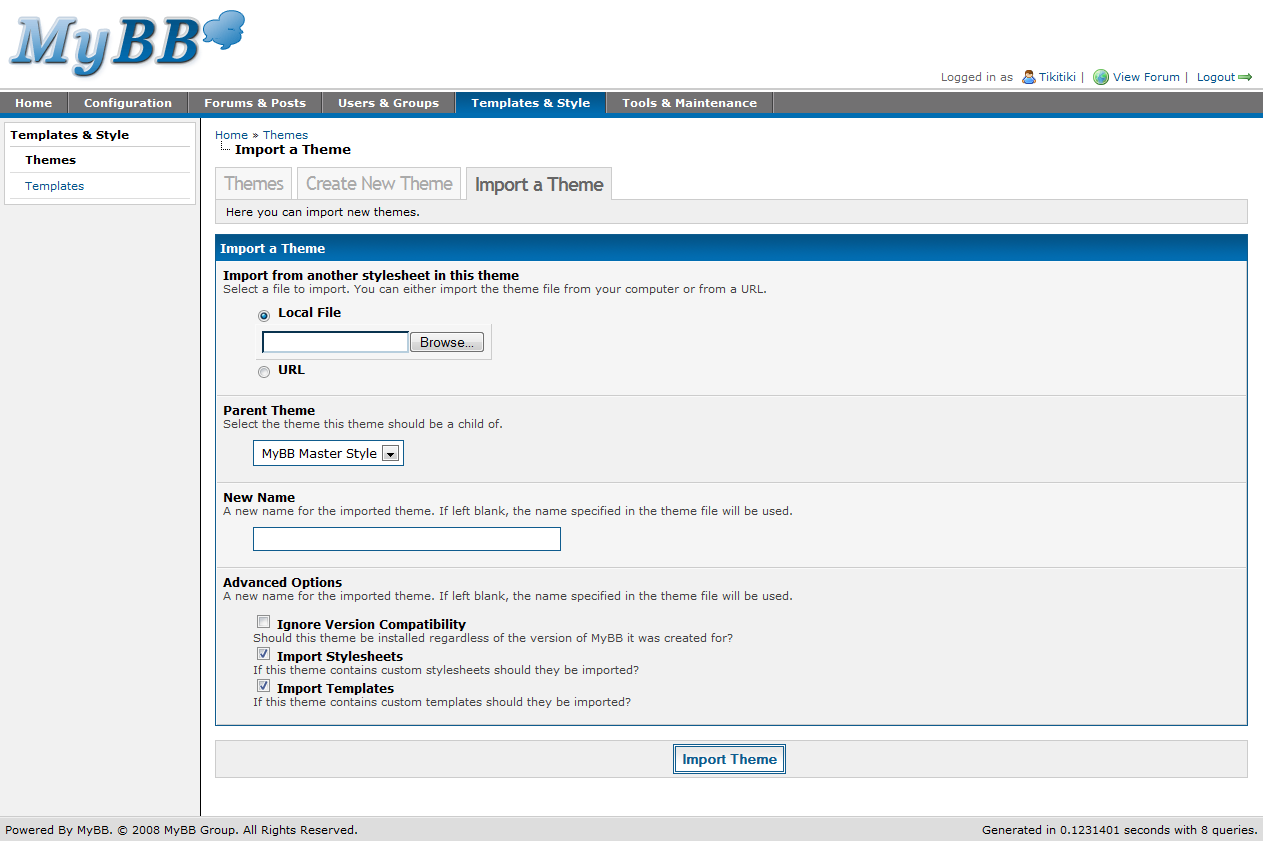
Importing a theme has seen a few helpful changes. First, you can now import from either a local file or from a URL. This means theme creators can simply post their XML files online rather than require users to upload it themselves.

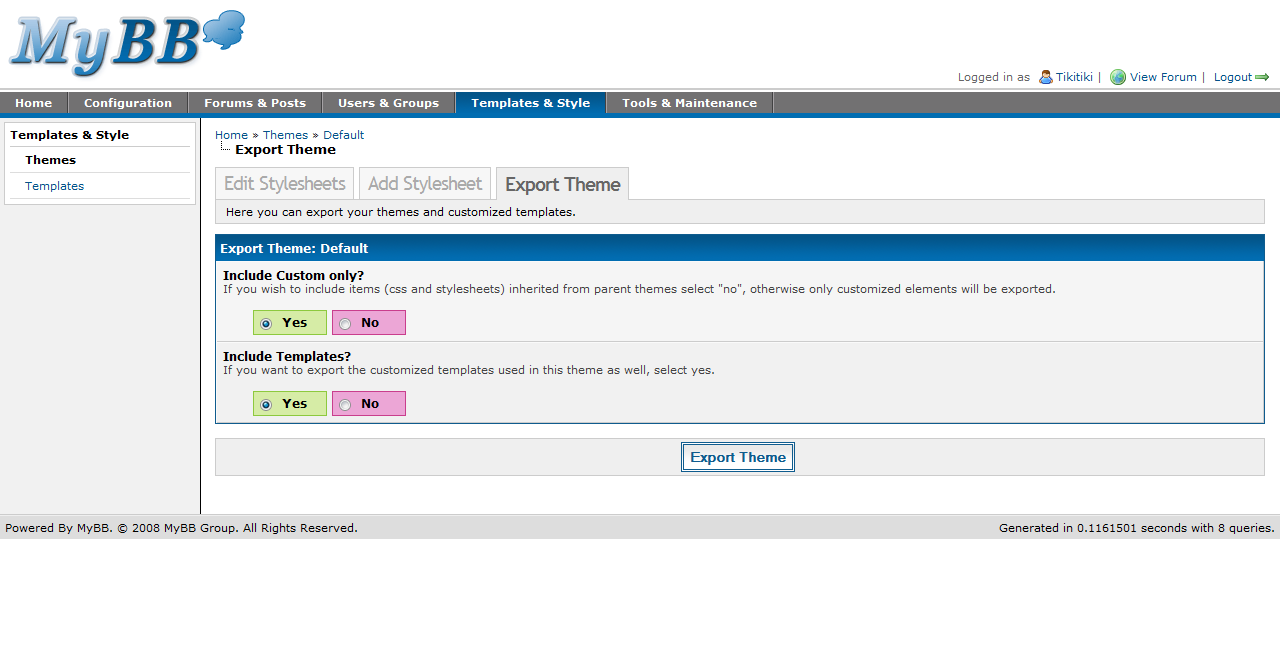
When exporting a theme, you are now presented with just two options – whether or not to include all or just the custom stylesheets, and whether or not to include the templates for the theme. This is pretty similar to 1.2, just changed slightly to fit the new theme system in 1.4.

There has been another important change in theming that doesn’t have a screenshot I can share. MyBB 1.2 added the ability to cache your themes to flat files, but in 1.4, we’ve taken it to the next level. You can now edit your stylesheets in a text editor and upload them to the directory created for each theme. When you go back into the ACP to edit the stylesheet at a later time, it will automatically take the content from the file and update the copy of the stylesheet in the database.

Questions

Thanks to the many of you who submitted their questions! We’ll start out with Snowy’s question which is probably the most asked question of MyBB 1.4:

Snowy Says:

When will MyBB 1.4 be released?

Now I know we have pretty much refused to give any dates in the past, but today, now that all the features are done and beta testing is well into progress, I am able to say with confidence that MyBB 1.4 should be released no later than July. Assuming no huge issues arise during beta testing, expect it to be here by then!

Das Tier Says:

well okay it says “you should put your read servers on a load balancer ” well show would you do that is that a server thing or some that can be done by MyBBoard.

Let me clarify for those of you whom didn’t read the technical section of last weeks post. Das Tier is asking about one way of setting up multiple MySQL servers on one MyBB installation for redundancy and performance reasons.

Das Tier, a load balancer is an application, or service, you can install on your server. It asks the MySQL servers for their loads (how stressed they are under) and it chooses the one with the least load. This in turn leads to a much faster and stable experience and in the event a MySQL server crashes, your other ones will still work.

Tip: Multiple MySQL servers however are costly and will probably only ever be used by forums with millions and millions of posts. So don’t go out thinking you need to buy multiple spaces at a Data Center in order for your forum to be fast. Most forums out there can operate fine on any standard or basic hosting package that meet MyBB’s minimum requirements.

Tristan Says:

Are there controls for administrators to regulate use of the moderator control panel (ie: how long mods can ban, who can edit profiles, etc…) or is the whole panel open season if one has access to it?

At this time, any user who has access to the Moderator CP has full access. Access to the Mod CP is set (similar to access to the Admin CP) as a user group setting.

robyhomes Says:
How will themes go on moving to this next version? I know the layout of the posting has changed a lot so will the theme have to be changed a long way to so that the user’s details are above the post? Or will the theme move it back to the side?

Your themes will be automatically converted to the new format. Templates will be reverted where possible, and any templates that were edited before the upgrade will have to be dealt with in the Find Updated Templates manager in the Admin CP.

Regarding the postbit layout: There’s a new setting in 1.4 that lets you decide whether you’d like a horizontal postbit (above the post) or classic postbit (to the left of the post). Users can also choose to use the classic postbit from their User CP.

Thanks for reading!

Thanks for reading our four-part series about the MyBB 1.4 Admin Control Panel. Hopefully the posts have been informative and have highlighted some of the great changes we’ve made to make your administration experience the best it can be. I personally cannot wait until 1.4 is released – and I hope you feel the same way.

Multiple people have contributed to this post, including: Tikitiki and Justin S.

MyBB 1.4 Admin CP – The Complete Overview (Part 3)

Welcome back for another overview of MyBB 1.4’s Administrator Control Panel – this time, we’ll be covering the “Users & Groups” as well as some of the technical decisions made.

A portion of code in the Users ACP page

Users & Groups

Users

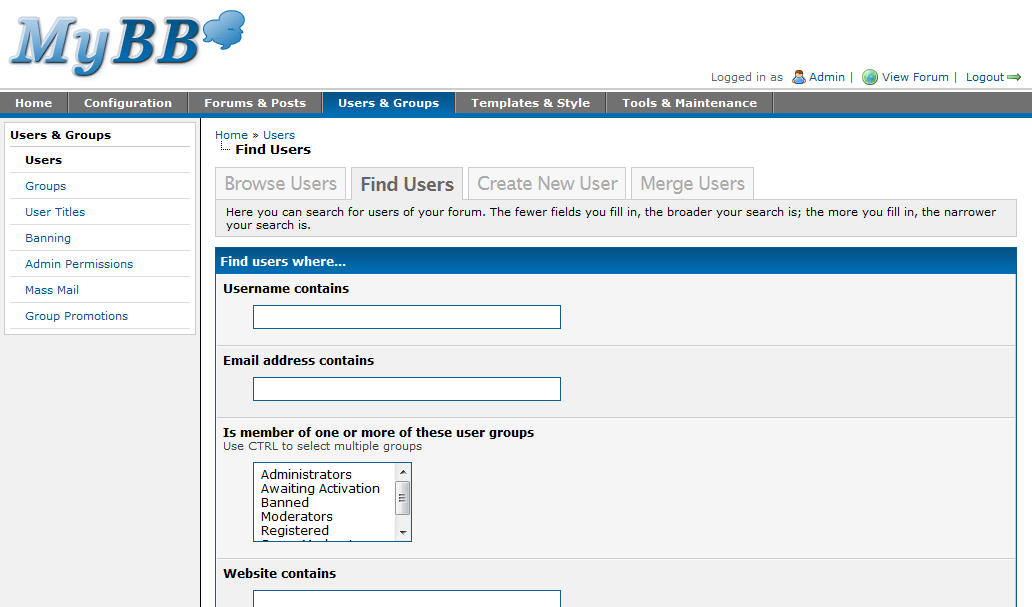
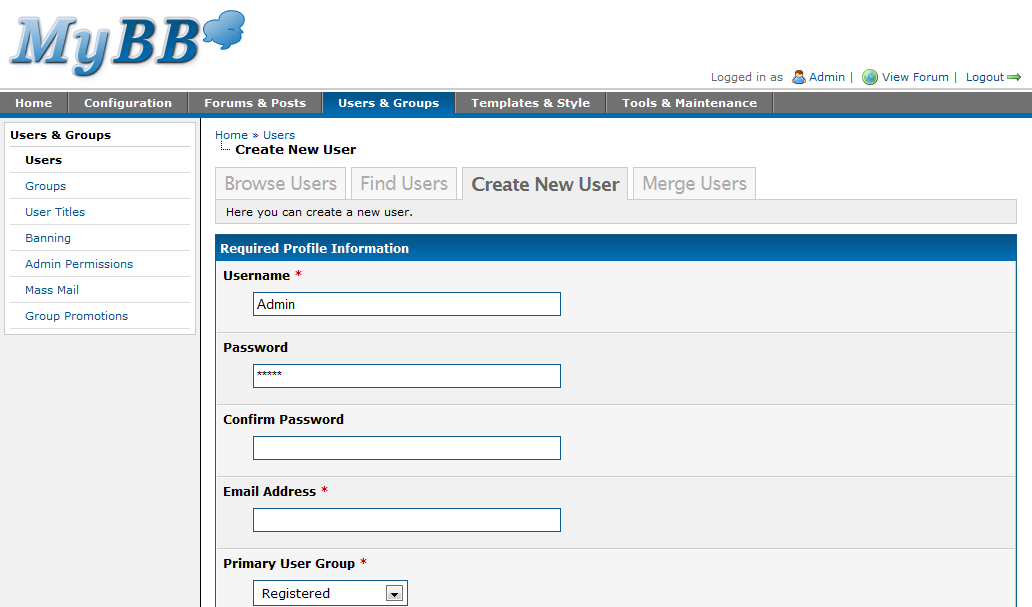
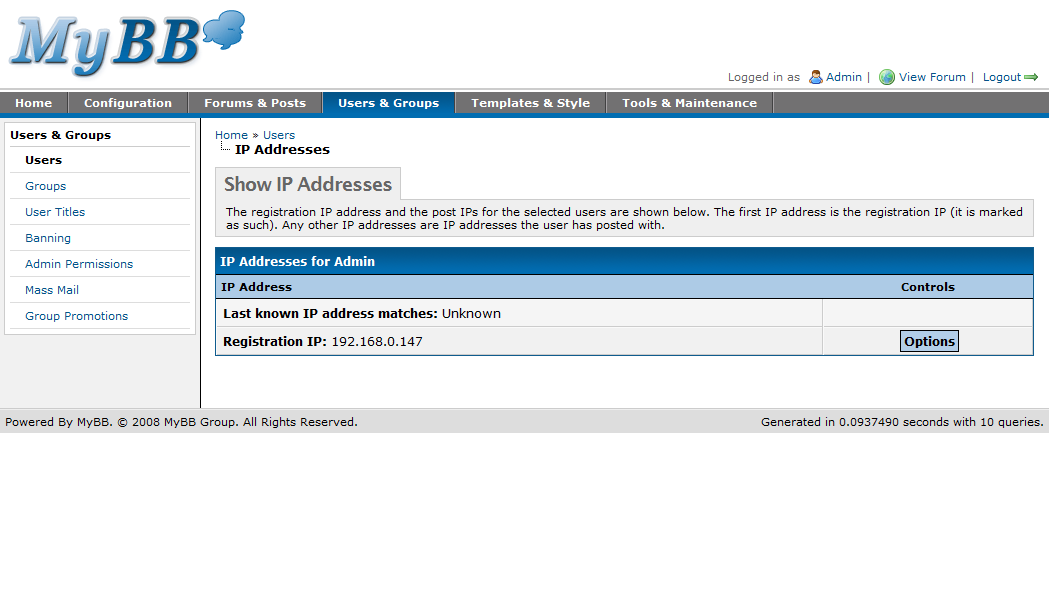
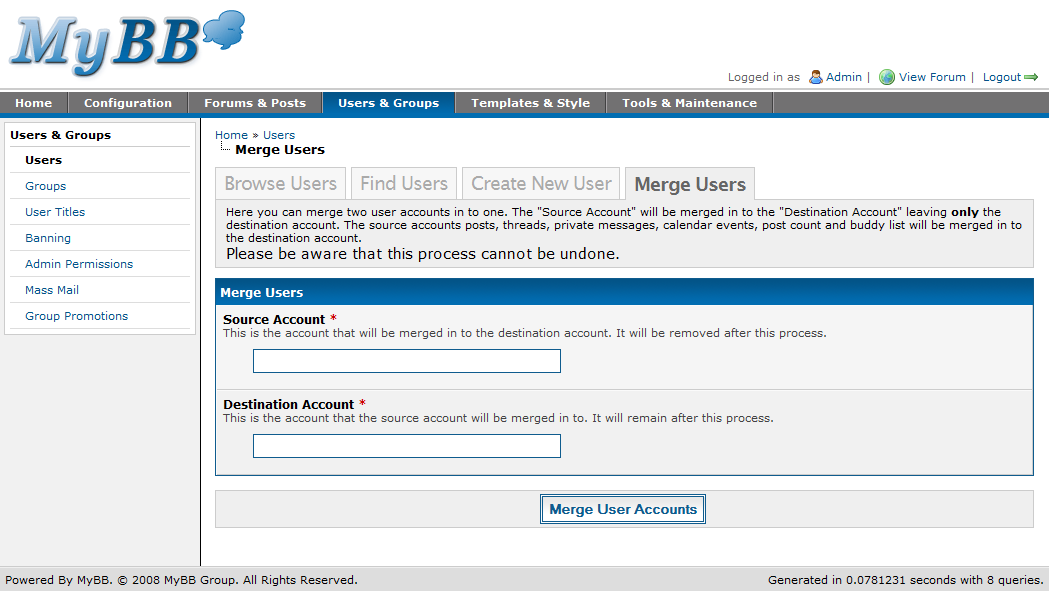
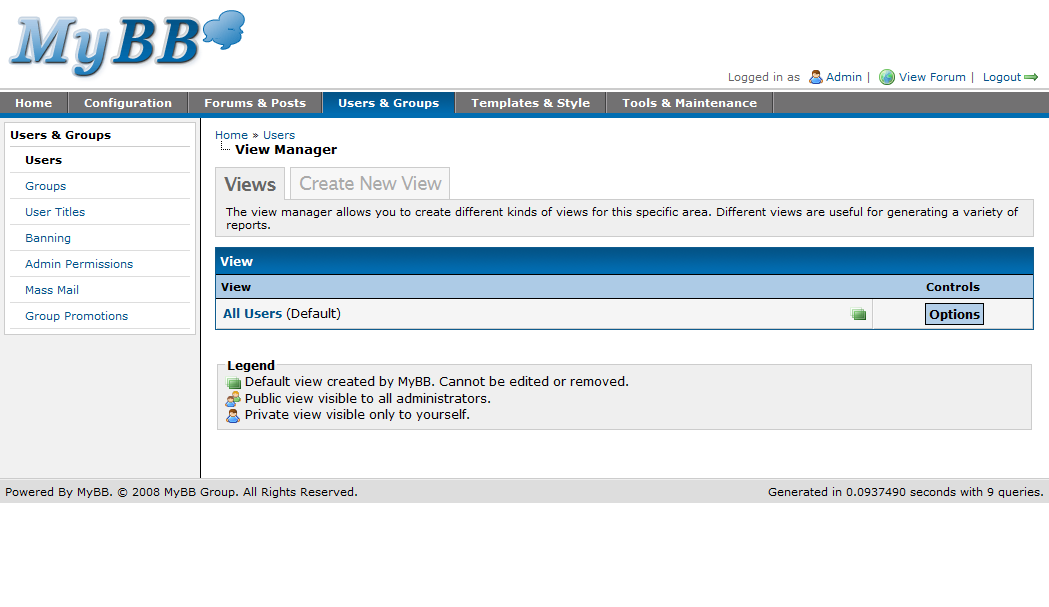
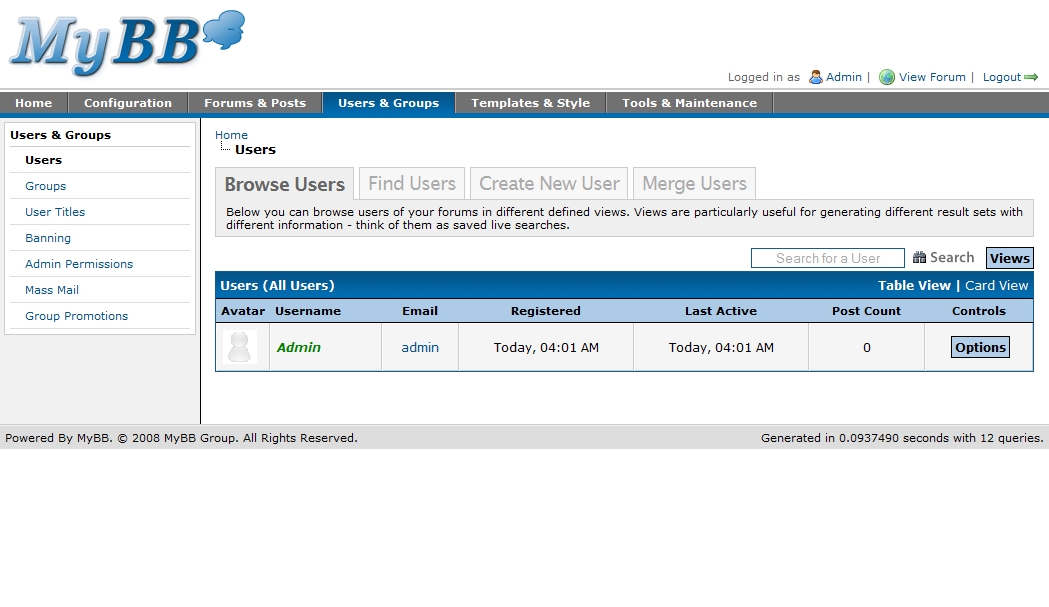
Like many other sections of the new Admin CP, the user management section is quite different from what you’ll be familiar with in MyBB 1.2. The focus of the new section is still very much to make it quick and easy to find and manage the users you need to. When you click on the new “Users & Groups” tab, you’ll automatically be taken to the Users page, from which you can quickly find, merge, and create new users. When you find the user you’re looking for, a number of options are available to you; including edit, delete or ban the user, show referred users, show IP addresses used by that user, and view the user’s attachments.

Users
Find Users
Creating a User
Show IP Addresses
Merging Users

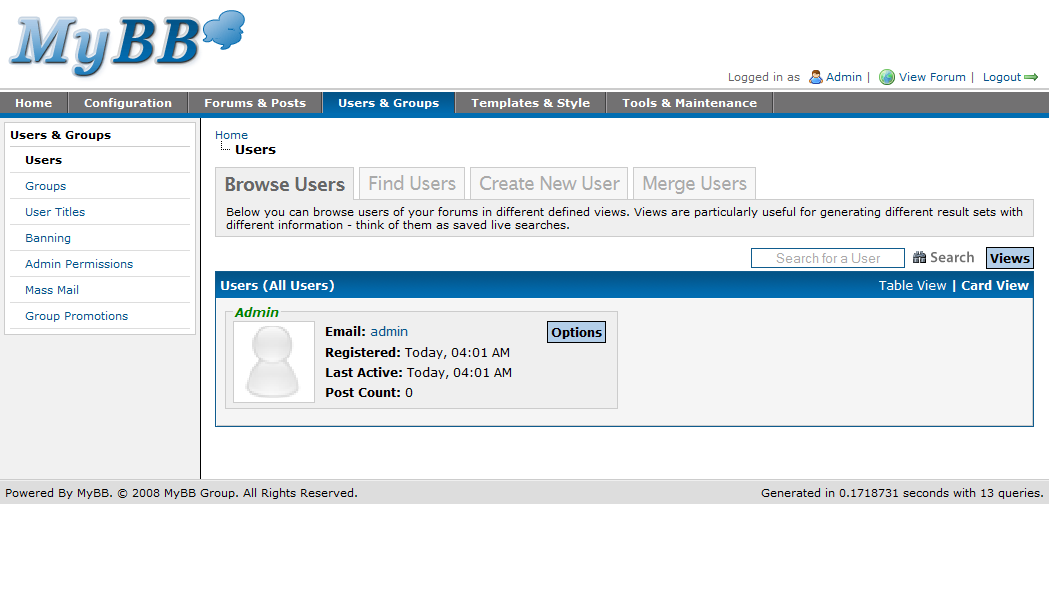
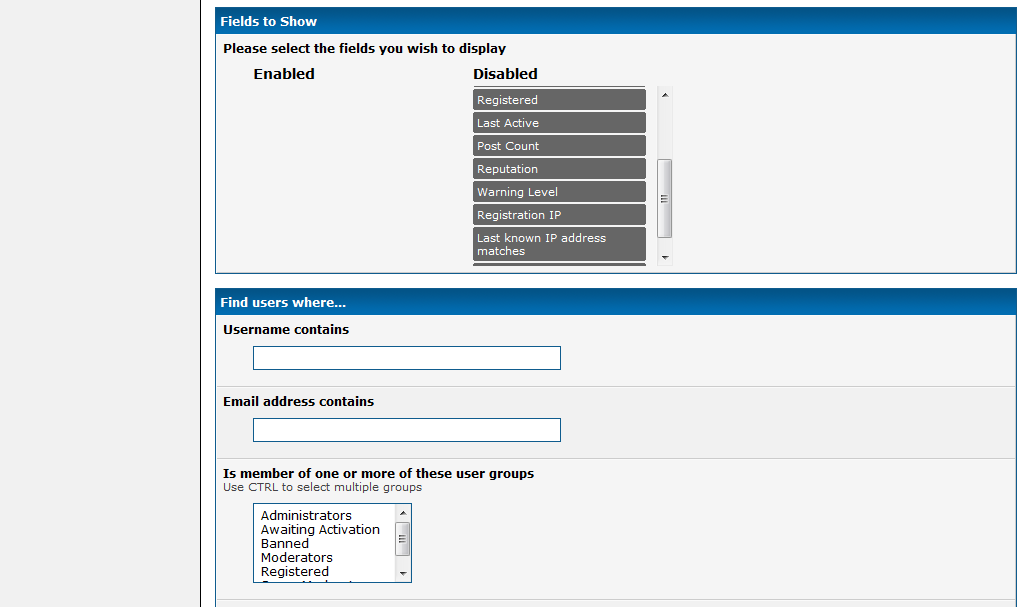
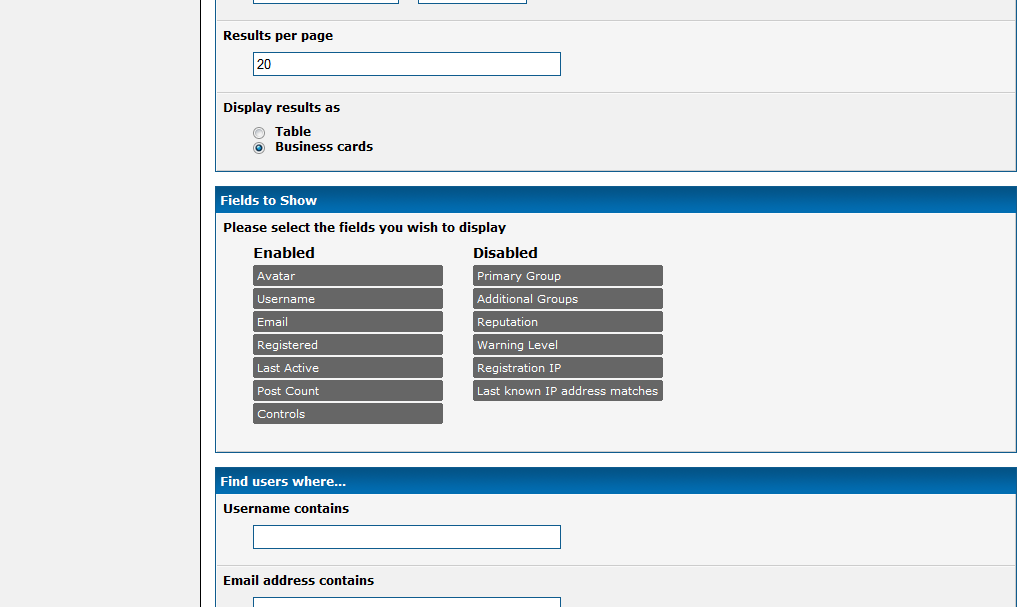
In the first screenshot above you’ll probably notice that the page begins listing all the registered users of the board in business card style. This is part of a new feature called “Views,” which is a great new way of quickly getting to the information you require regularly. Essentially, views are saved live searches. In the screenshot for example, the default “All Users” view is selected and is therefore starting to display all the registered users of the board, along with the user’s email address, registration date, the date on which they were last active, and the user’s post count. You can modify the view or create a new view which instead listed users with different information such as their primary user group, additional user groups, reputation, and so on. You can also specify search criteria and sorting options for any view you create, as well as view the results in either list or business card style.

Views
Adding a View
Adding a View
Editing a View
Users List View

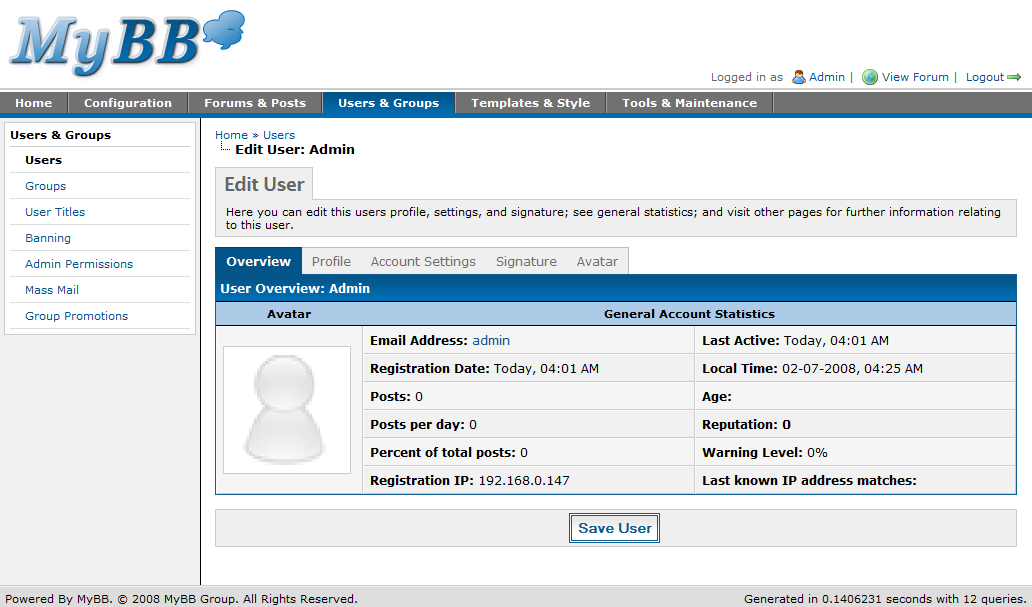
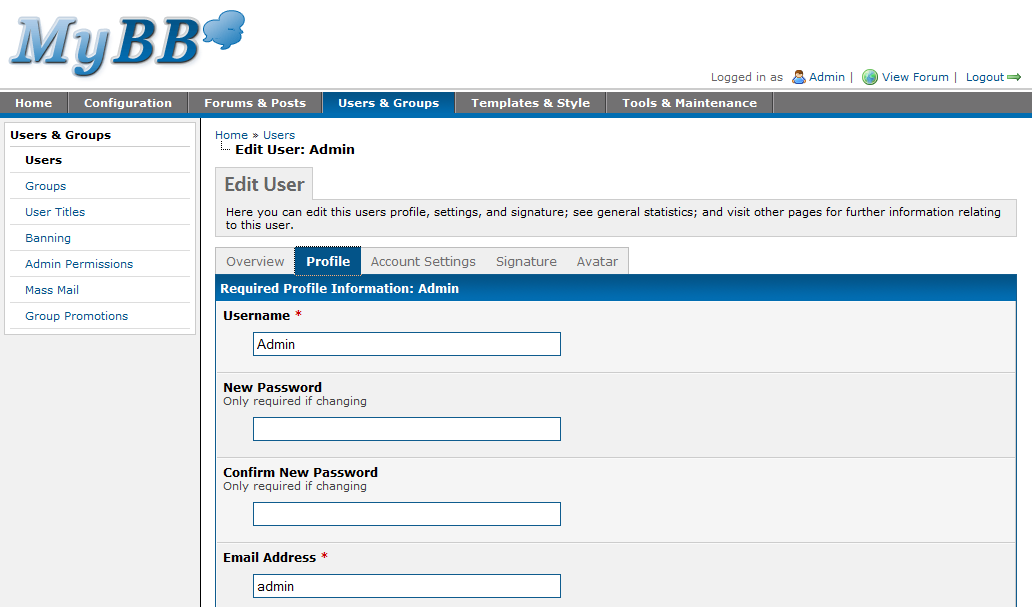
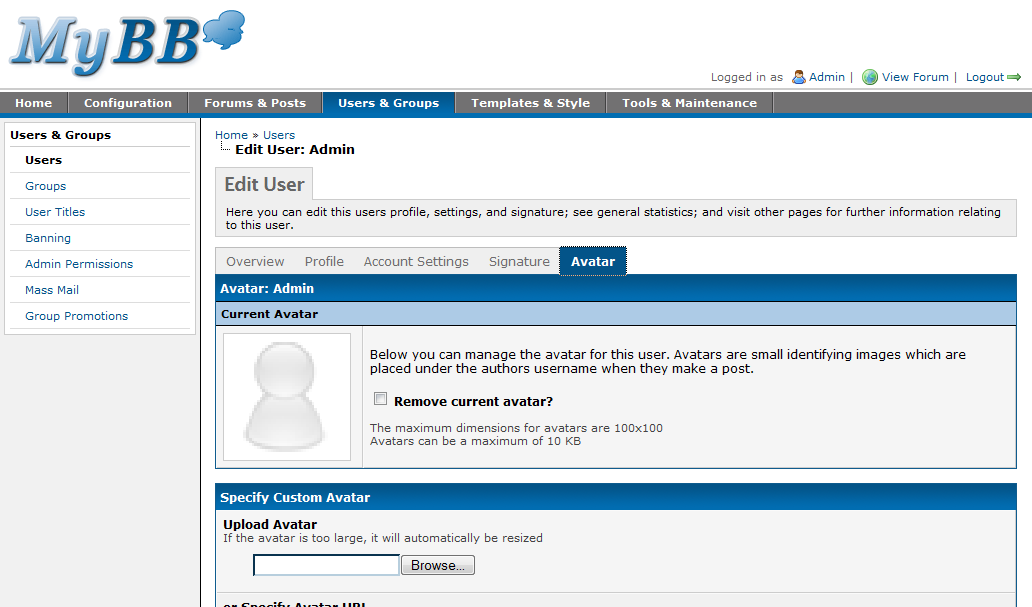
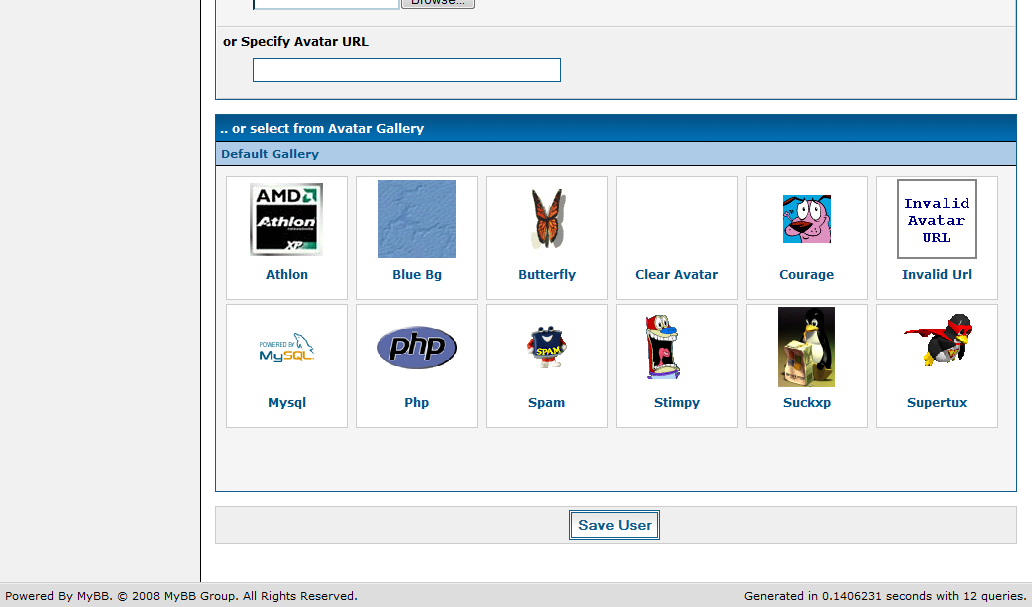
There’s a lot of information to store for each user, such as their details, profile information, and personal options. In the front-end these options have always been grouped into different sections of the User CP in order to make it easier for users to find exactly what they want to change. We’ve introduced a similar idea into the new Admin CP. When you select a user to edit you’ll be taken to a page with five tabs, on which only the relevant options are displayed. These tabs are labeled “Overview,” “Profile,” “Account Settings,” “Signature,” and “Avatar.”

Editing a User
Edit User Profile
Edit User Account Settings
Edit User Signature
Edit User Avatar
Edit User Avatar

Groups

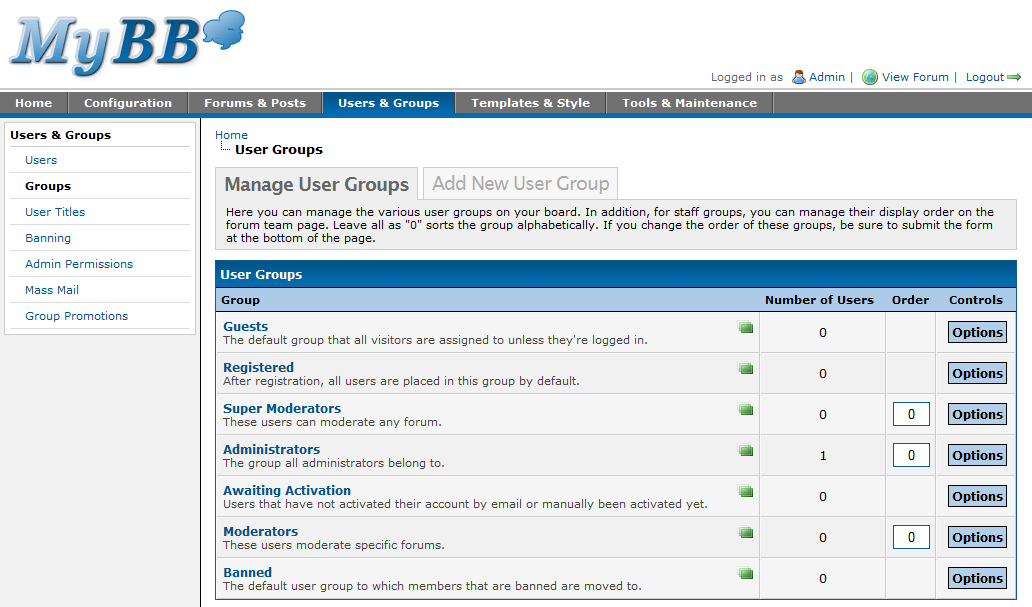
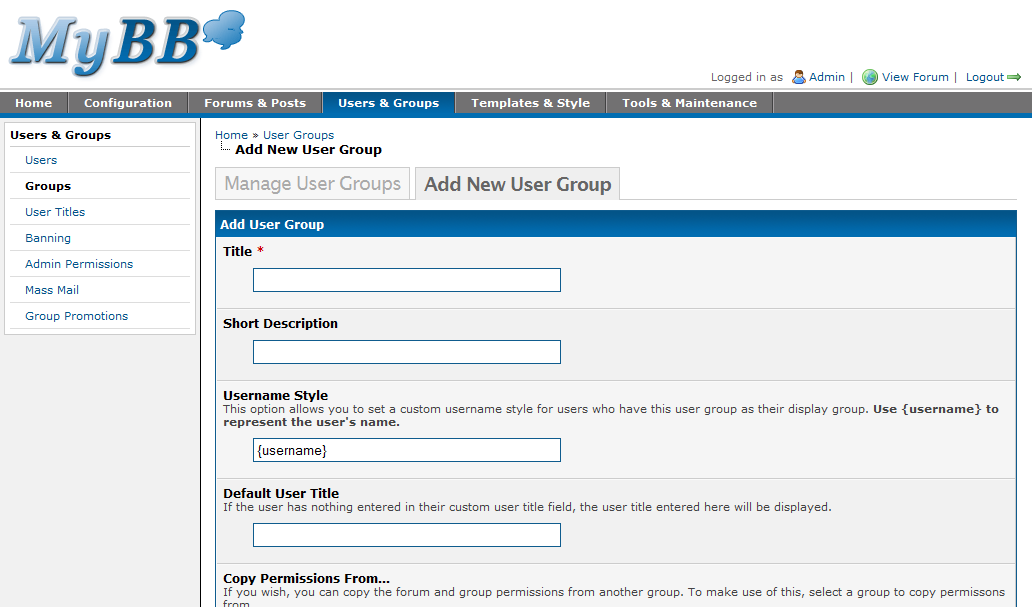
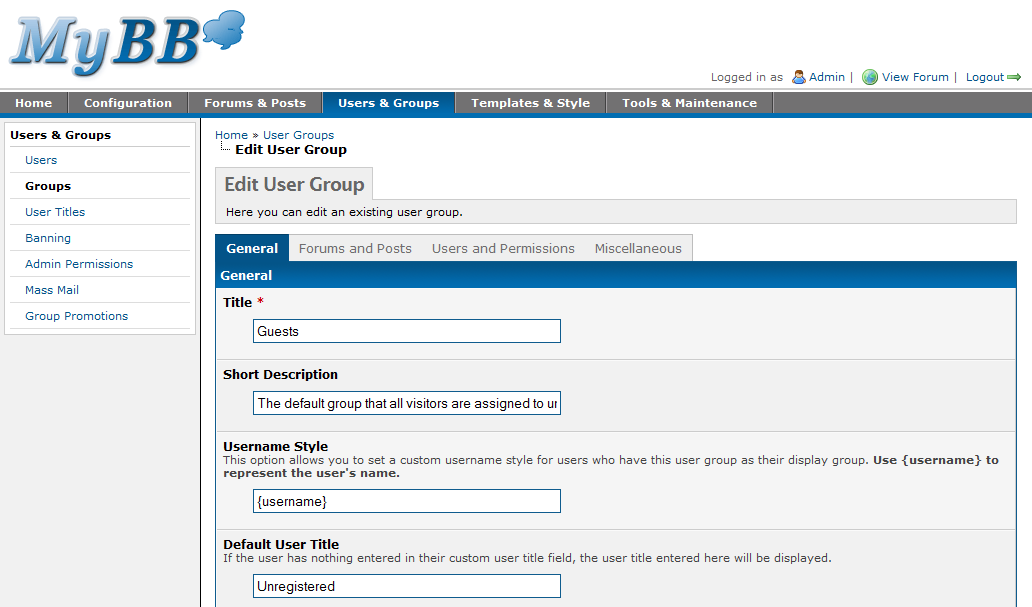
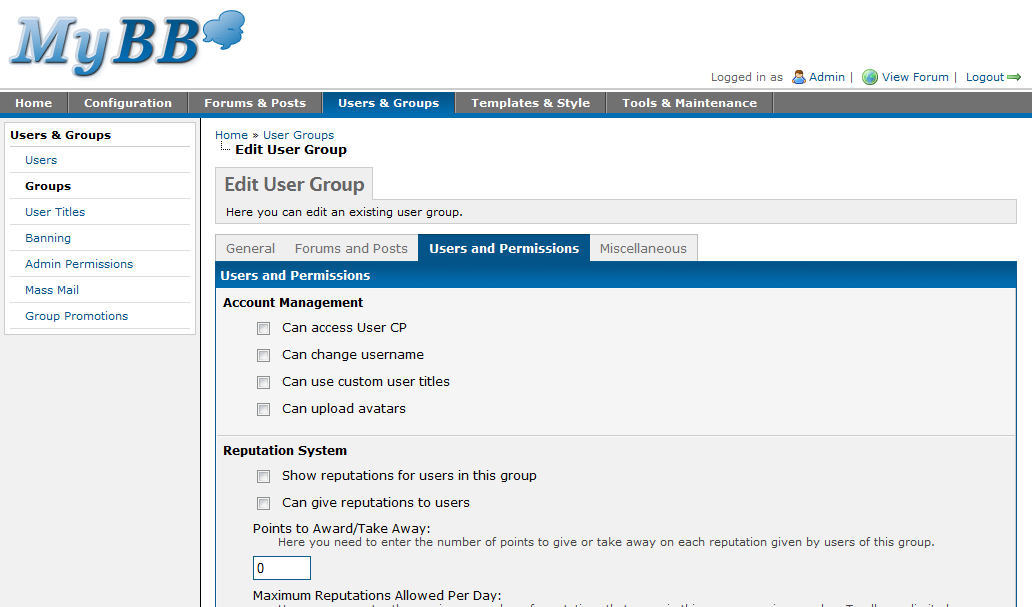
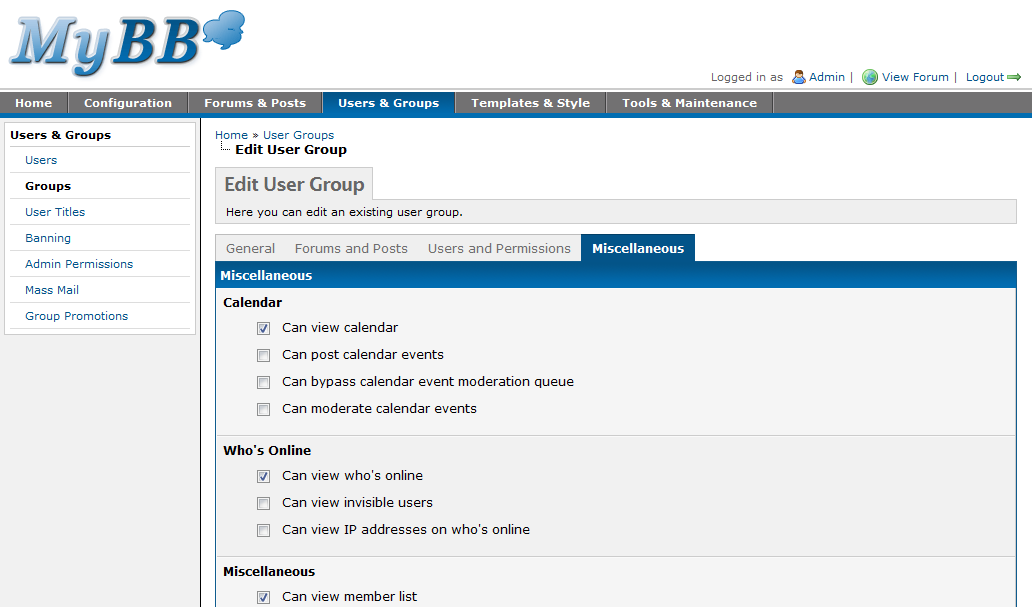
When you head to the “Groups” section of the new Admin CP, you’ll be taken to a page that looks very similar to its 1.2 counterpart. You’ll see a list of the current user groups along with the group description, the number of users in the group, its order on the “Forum Team” page, and the relevant control options. There’s also a new icon next to each group which makes it more obvious which groups are custom groups and which are there by default. You’ll notice a significant difference when you click to edit a group. Rather than displaying all the group options at the same time, the options have been separated into four different tabs; namely, “General”, “Forums and Posts”, “Users and Permissions” and “Miscellaneous”.

Manage Groups
Adding a Group
Editing a Group
Editing a Group
Editing a Group
Editing a Group

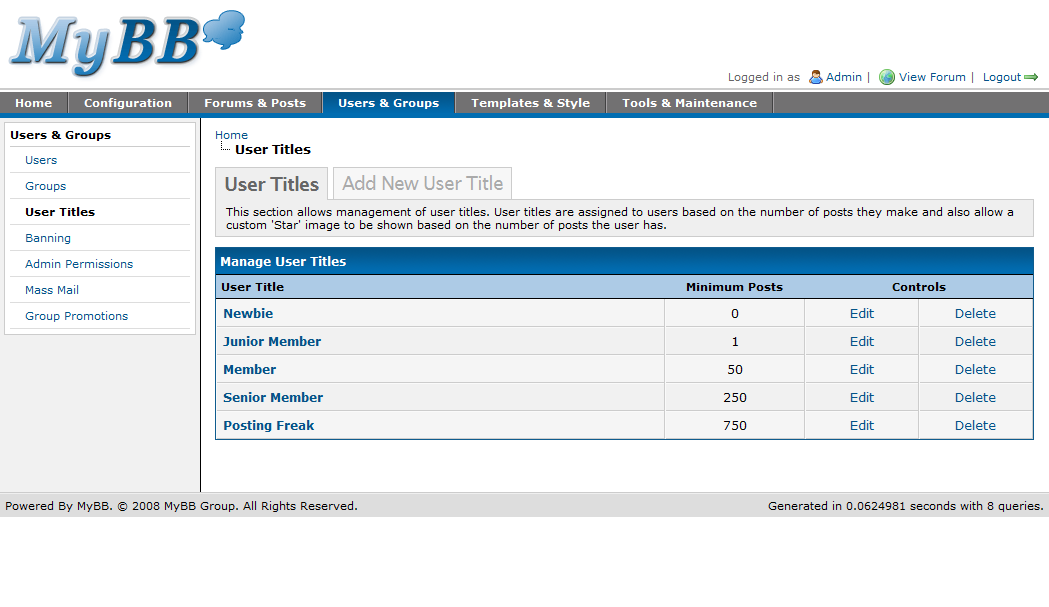
User Titles

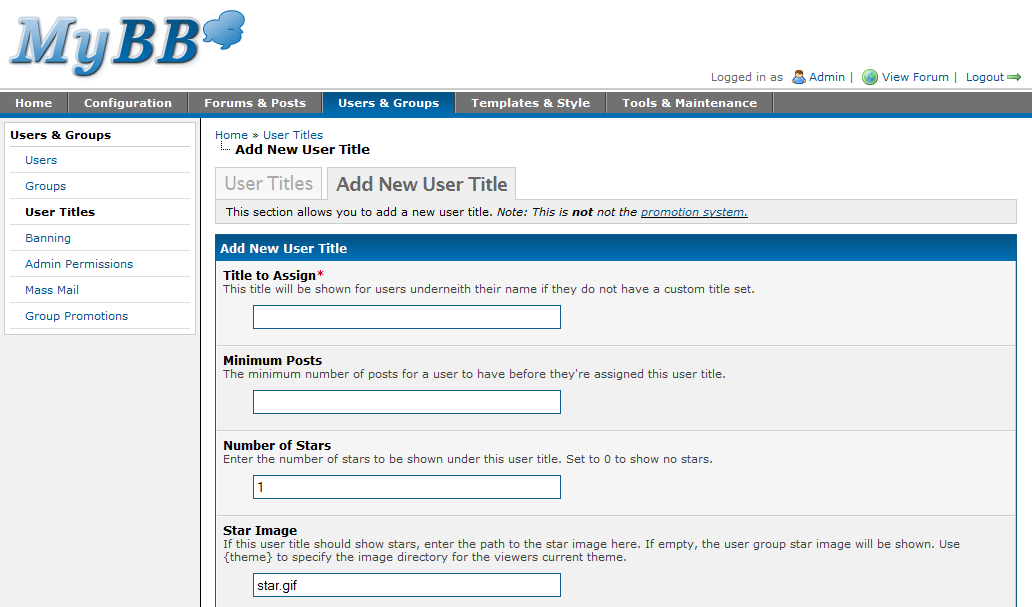
The user titles section hasn’t changed much from the Admin CP in 1.2. It allows you to manage the default user titles that members will automatically be assigned based on their post count. The interface is straightforward just like its MyBB 1.2 counterpart.

User Titles
Adding a User Title
Editing a User Title

Banning

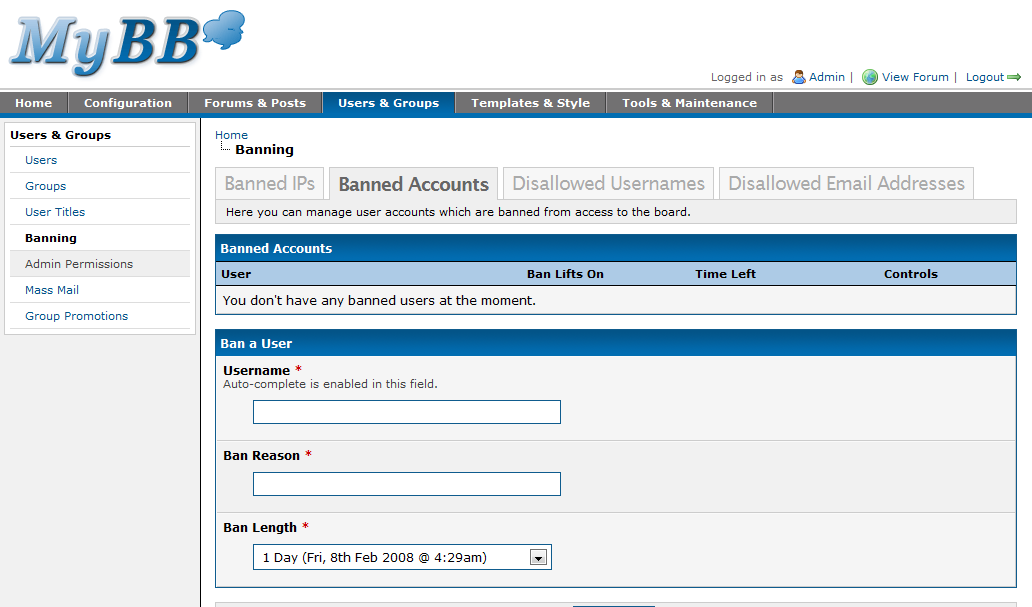
One of the things we thought was messy in 1.2 was that banning options weren’t placed in the best of places in the Admin CP. You could ban a user in the banning section, but to disallow specific usernames, IPs or email addresses you would instead have to look through the settings area to find the appropriate options. In 1.4 all of these options are placed in the same place making it easier to find the specific banning options you require. We included screenshots of the “Banned IPs”, “Disallowed Usernames” and “Disallowed Email Addresses” pages in Part 1, as they are technically under the Configuration portion of the Admin CP, so here’s a screenshot of the “Banned Accounts” page which instead falls under the Users portion of the Admin CP.

Banning

Admin Permissions

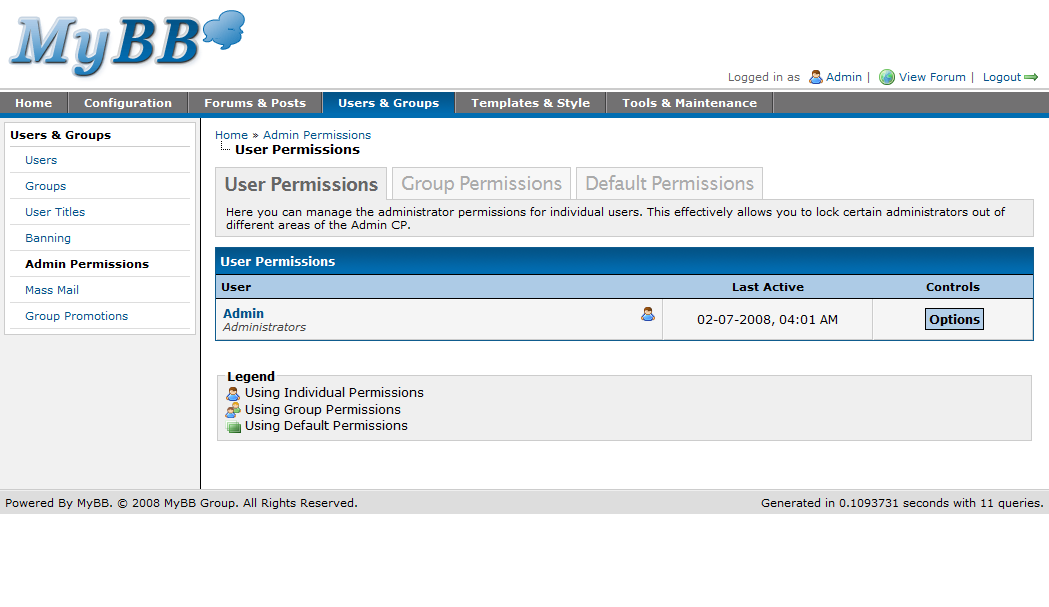
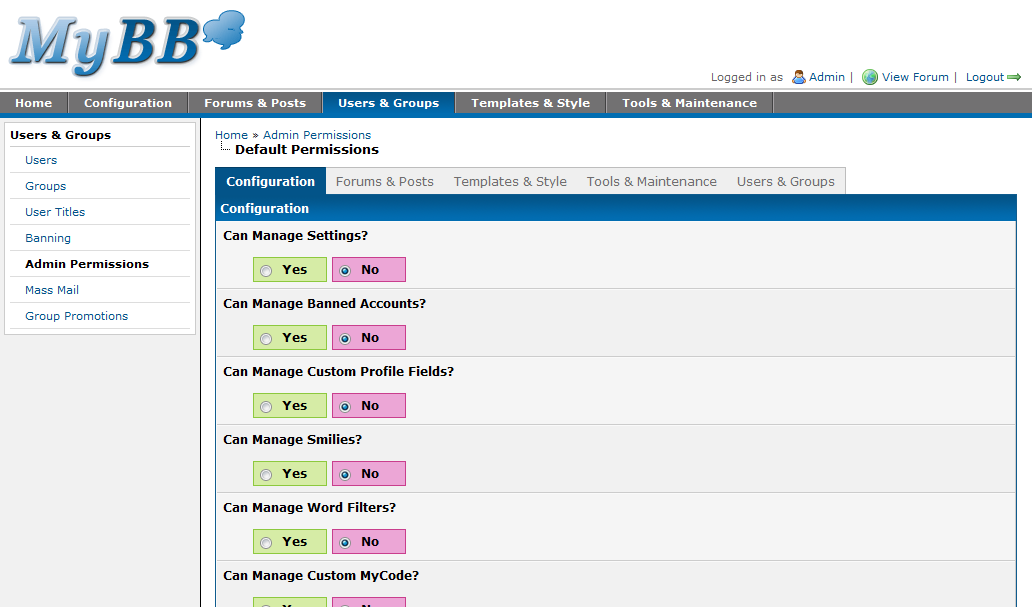
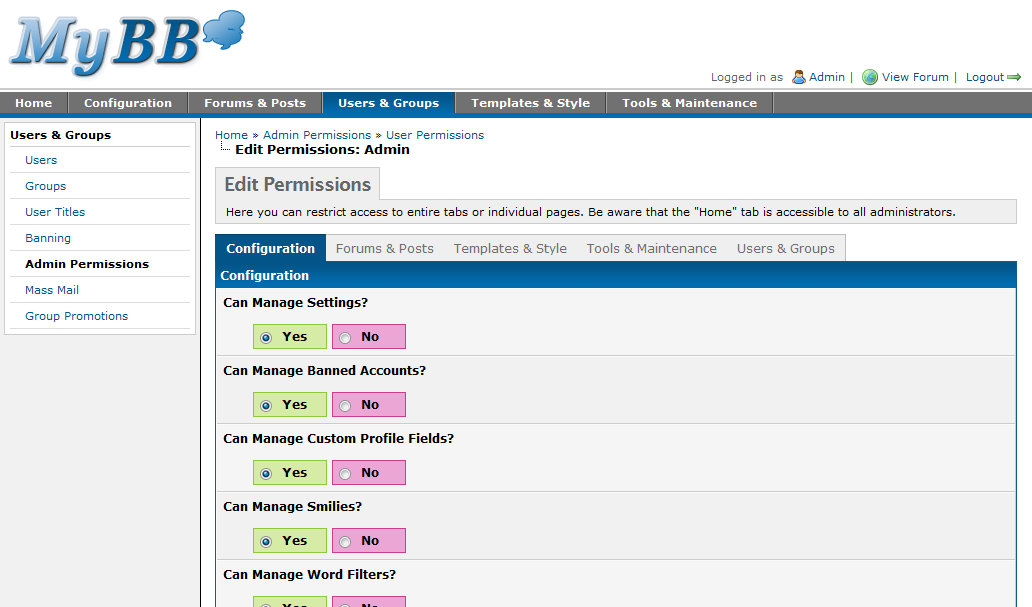
The “Admin Permissions” section has received the same kind of tabbed layout used in the users and groups editing pages. The permissions are spread over five tabs which correspond to the main tabs of the Admin CP.

Admin Permissions
Default Admin Permissions
Editing Admin Permissions
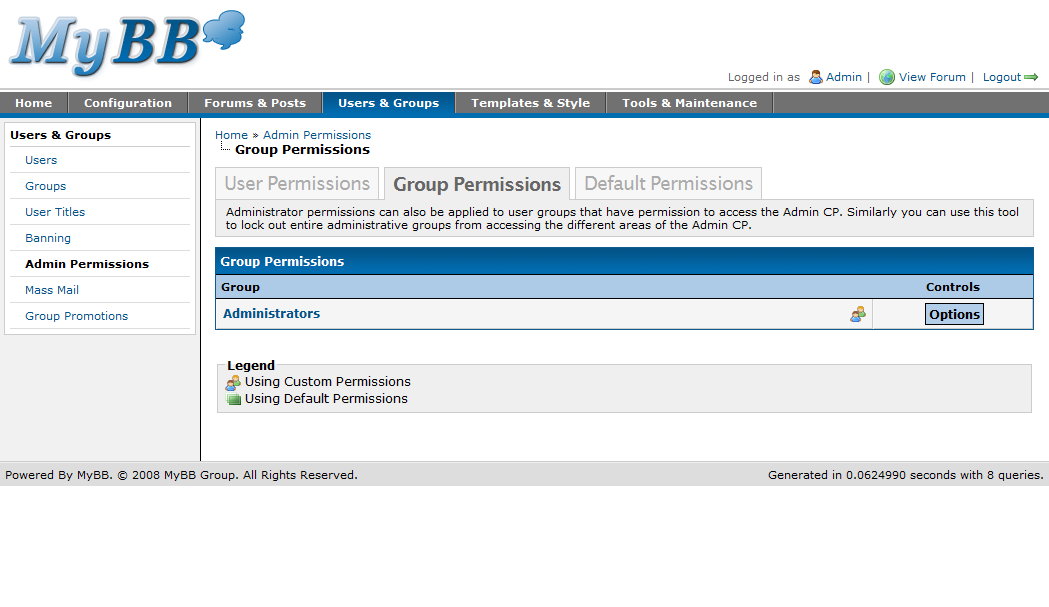
Admin Group Permissions

Mass Mail

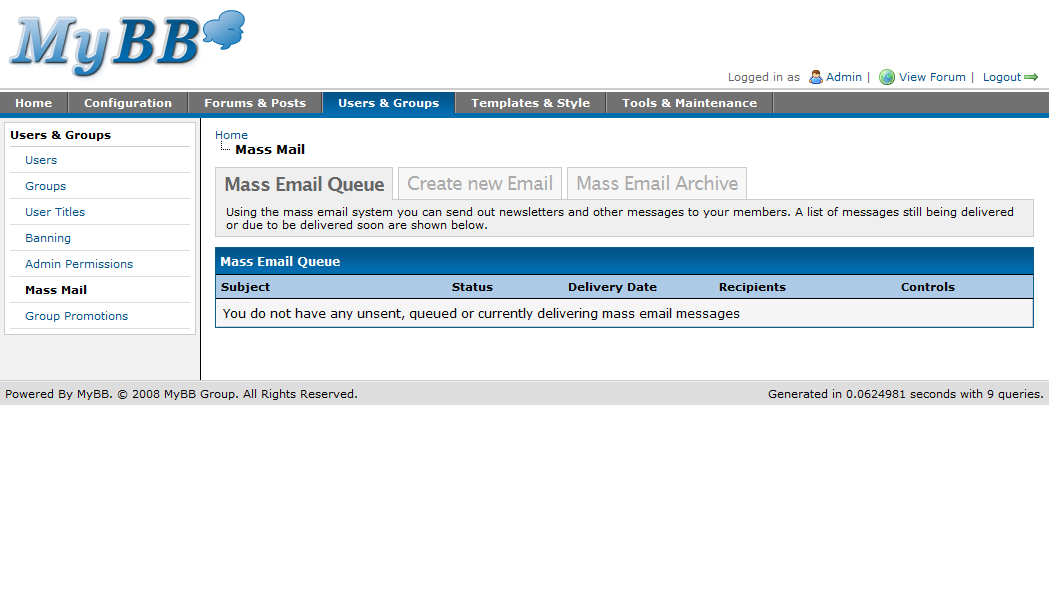
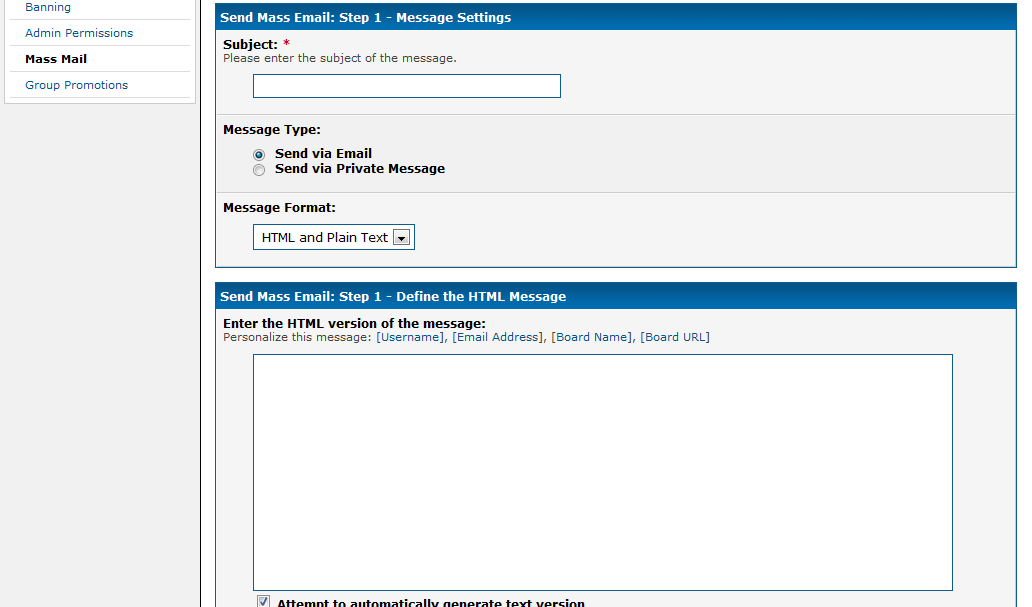
The Mass Mail section has changed a fair bit. The first thing you’ll see when you click the mass mail page is the current message queue, which contains mass emails which are still sending. Yes, this means mass emails are now sent using the task system, and you can also schedule mass emails to be sent at a later time. Aside from the obvious layout changes, many of the sending options remain the same but with one significant addition. It’s now possible to send mass emails in plain text, HTML format, or both. If sending in both formats, you can either enter a specific HTML and plain text version of the message, or have MyBB attempt to create the plain text version automatically based on the HTML version.

Mass Mail
Creating a New Email

Group Promotions

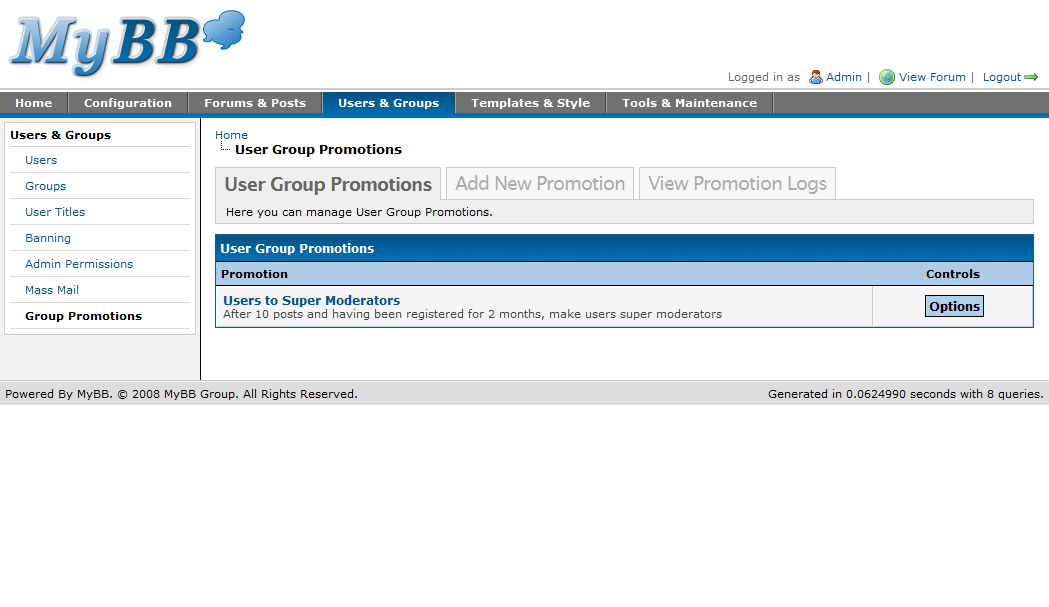
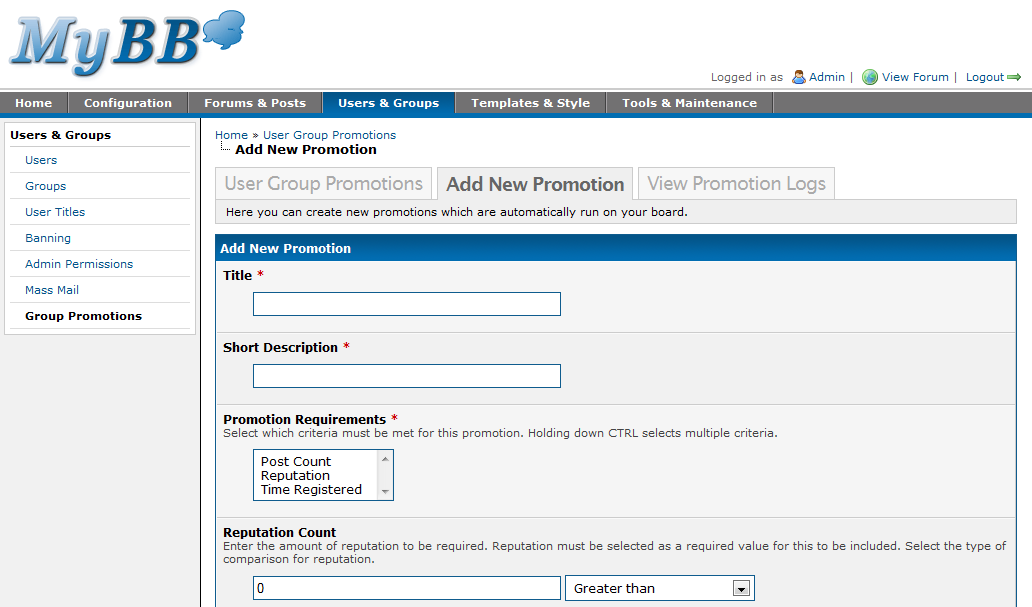
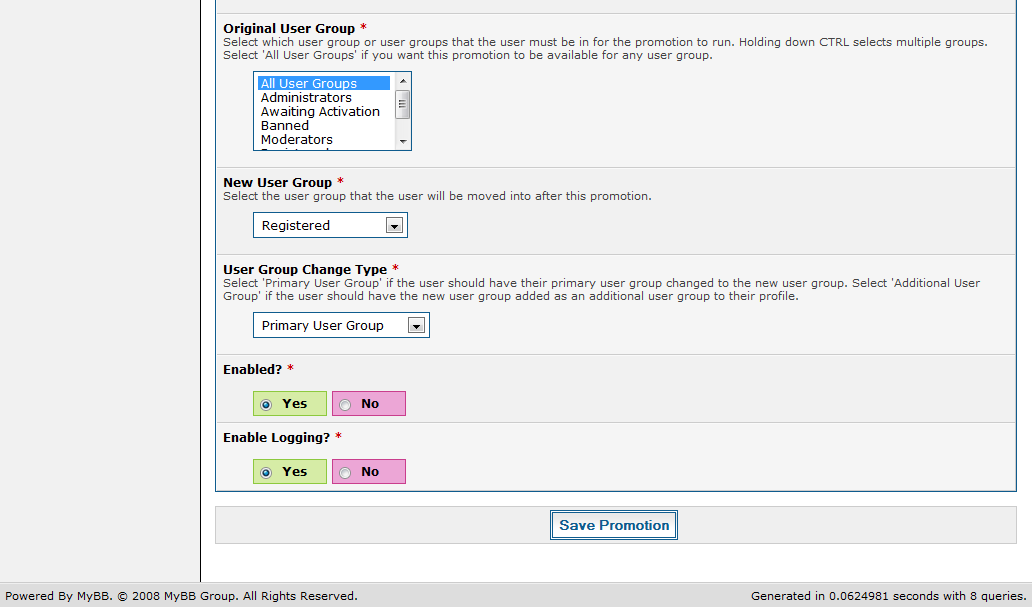
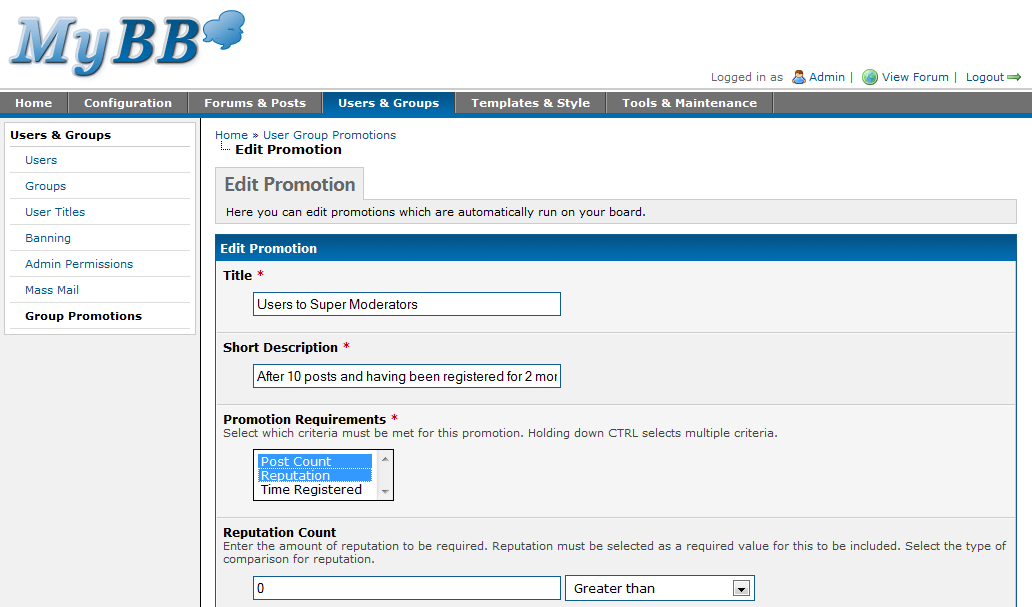
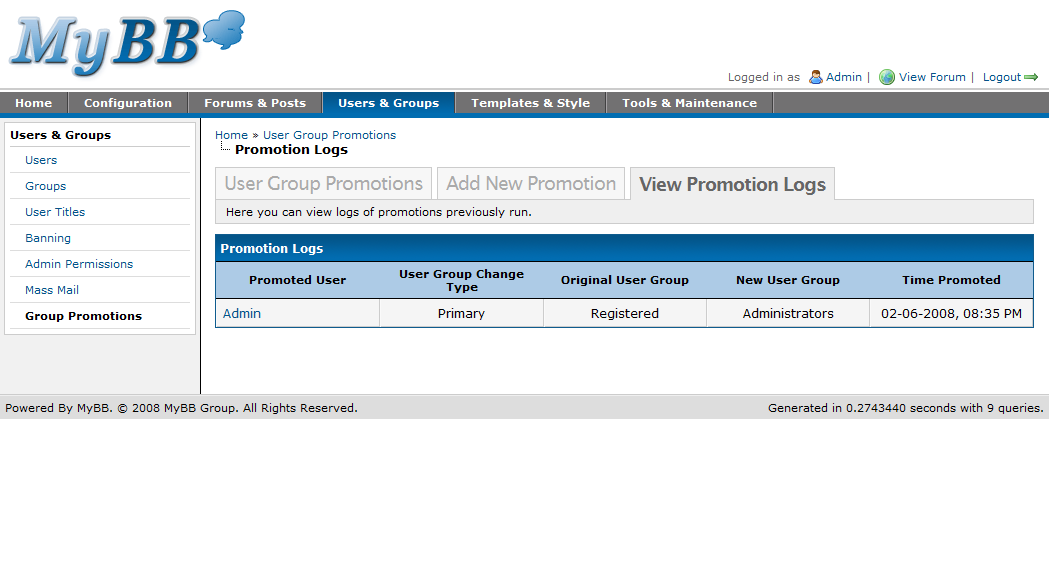
The group promotions system is a major new feature in MyBB 1.4. The system allows you to promote users of specific groups to another primary or secondary group when they meet the required criteria, such as post count, reputation and time registered. Promotions are then performed using the new task system in MyBB 1.4. This system solves many requests administrators have made to restrict forums or features to users with a specified number of posts or time registered.

Group Promotions
Adding a New Promotion
Editing a New Promotion
Viewing Promotion Logs

Technical Decisions

From the beginning of MyBB 1.4 development to this very day, MyBB 1.4 has nearly doubled in the amount of code compared to MyBB 1.2. Here are some figures:

MyBB 1.2:
Source code lines (not counting blank lines): 65,165 lines
Comment lines: 6,994

MyBB 1.4:
Source code lines (not counting blank lines): 113,503 lines
Comment lines: 13,722

Throughout all of MyBB 1.4’s development process, we’ve seen many new and exciting features. I’m going to talk a bit about some of the less known and more technical side of things in MyBB 1.4, so feel free to skip over this section if you lack interest when it comes to code.

PostgreSQL, SQLite 2, and SQLite 3 (via PDO) are all supported in MyBB 1.4. What’s more is we’ve implemented Slave/Master technologies allowing people to hook up multiple SQL servers. If I had two MySQL servers, the code in inc/config.php for databases would look something along the lines of this:

$config['database']['type'] = 'mysqli';
$config['database']['read']['database'] = 'mybb';
$config['database']['read']['table_prefix'] = 'mybb_';
$config['database']['read']['hostname'] = 'localhost_read_address';
$config['database']['read']['username'] = 'root';
$config['database']['read']['password'] = '';


$config['database']['write']['database'] = 'mybb';
$config['database']['write']['table_prefix'] = 'mybb_';
$config['database']['write']['hostname'] = 'localhost_write_address';
$config['database']['write']['username'] = 'root';
$config['database']['write']['password'] = '';

You could even have multiple read and write databases like:


$config['database']['type'] = 'mysqli';
$config['database']['read'][]['database'] = 'mybb';
$config['database']['read'][]['table_prefix'] = 'mybb_';
$config['database']['read'][]['hostname'] = 'localhost_read_address';
$config['database']['read'][]['username'] = 'root';
$config['database']['read'][]['password'] = '';


$config['database']['read'][]['database'] = 'mybb';
$config['database']['read'][]['table_prefix'] = 'mybb_';
$config['database']['read'][]['hostname'] = 'localhost_read_address2';
$config['database']['read'][]['username'] = 'root';
$config['database']['read'][]['password'] = '';


$config['database']['write'][]['database'] = 'mybb';
$config['database']['write'][]['table_prefix'] = 'mybb_';
$config['database']['write'][]['hostname'] = 'localhost_write_address';
$config['database']['write'][]['username'] = 'root';
$config['database']['write'][]['password'] = '';


$config['database']['write'][]['database'] = 'mybb';
$config['database']['write'][]['table_prefix'] = 'mybb_';
$config['database']['write'][]['hostname'] = 'localhost_write_address2';
$config['database']['write'][]['username'] = 'root';
$config['database']['write'][]['password'] = '';

Now, in the event that you do have multiple read / write servers setup in the config, MyBB would connect to all the write servers so it can update all of them, and select 1 read server at random. I wish we could easily detect the load of the read servers and pick the lowest one, but unfortunately that’s not very practical yet.

If you are going to have multiple read and write servers, you should put your read servers on a load balancer rather than in MyBB’s config file. The only difference is you would point the read array towards your load balancer.

On a different note, I’m sure you saw the picture at the top of this blog post depicting some code. This code is from MyBB 1.4 and it is of the new code in the ACP; specifically, the Users page in the ACP. I won’t go into detail about all the new code in the ACP but I’ll briefly cover what was shown in that picture.

The first thing you’ll notice is $form->output_row(…). What it does is fairly obvious but just in case, it outputs a row to your MyBB ACP page. The arguments for this function are as follows:


title - string The title of the row.
description - string The description of the row/field.
content - string The HTML content to show in the row.
label_for - string The ID of the control this row should be a label for.
options - array Array of options for the row cell.
row_options - array Array of options for the row container.


output_row(title, description="", content="", label_for="", options=array(), row_options=array())

Now you may be thinking we use pure HTML all the time in $form->output_row. As you look closer at the picture, however, you will also see $form->generate_select_box and $form->generate_check_box, the arguments of which are:


name - string The name of the select box.
option_list - array Array of options in key => val format.
selected - mixed Either a string containing the selected item or an array containing multiple selected items (options['multiple'] must be true)
options - array Array of options for the select box (multiple, class, id, size)


generate_select_box(name, option_list, selected=array(), options=array())

and


name - string The name of the check box.
value - string The value of the check box.
label - string The label of the check box if there is one.
options - array Array of options for the check box (id, class, checked)